

Your AI Creative Team is Live
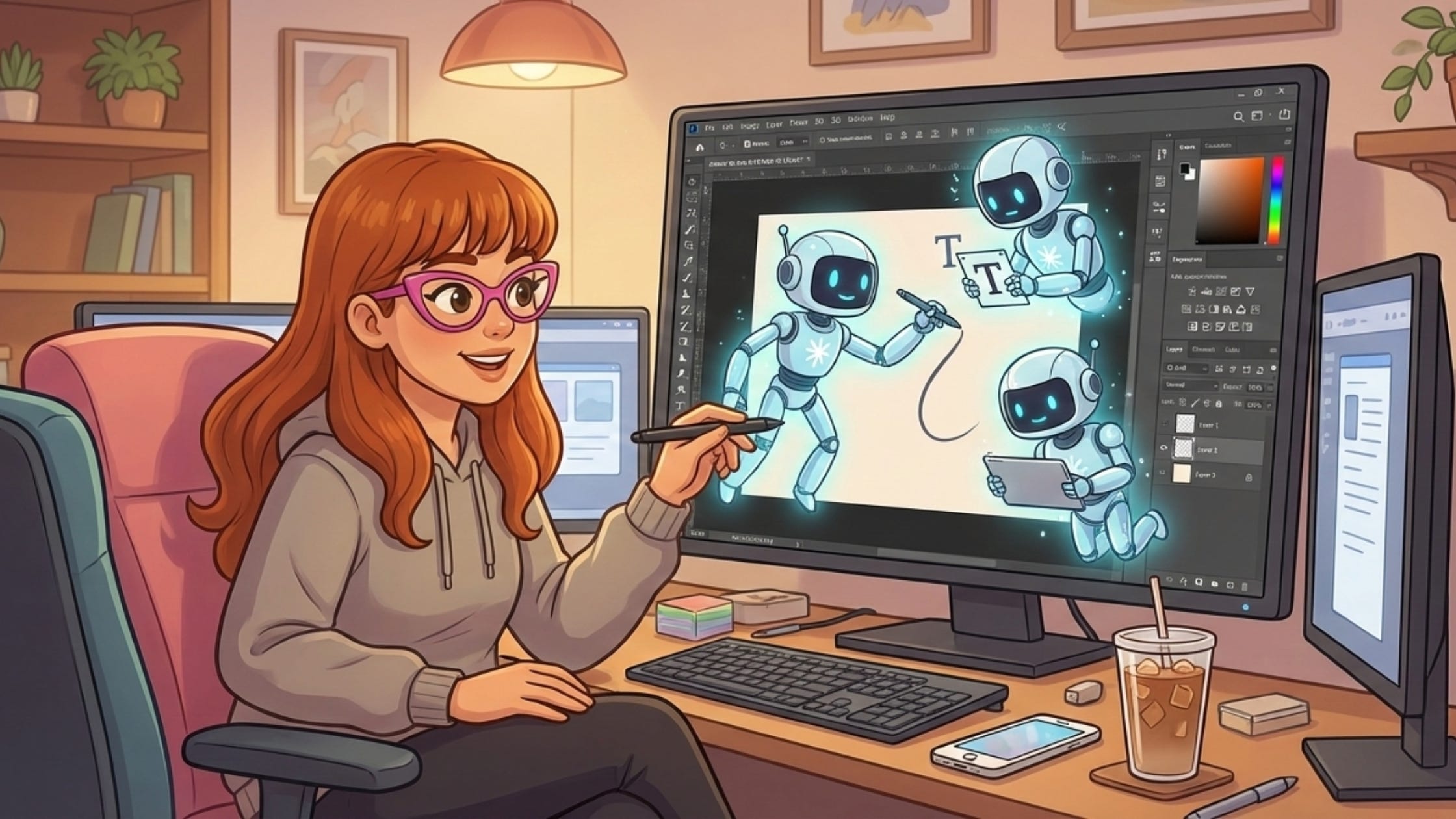
Adobe just integrated Google's Nano Banana Pro into Firefly and Photoshop

Adobe just integrated Google’s Nano Banana Pro into Firefly and Photoshop
Adobe just integrated Google’s Nano Banana Pro (Gemini 3) into Firefly and Photoshop. Think of it as hiring a specialist who handles what other models mess up: clean text, sharp details, consistent faces.
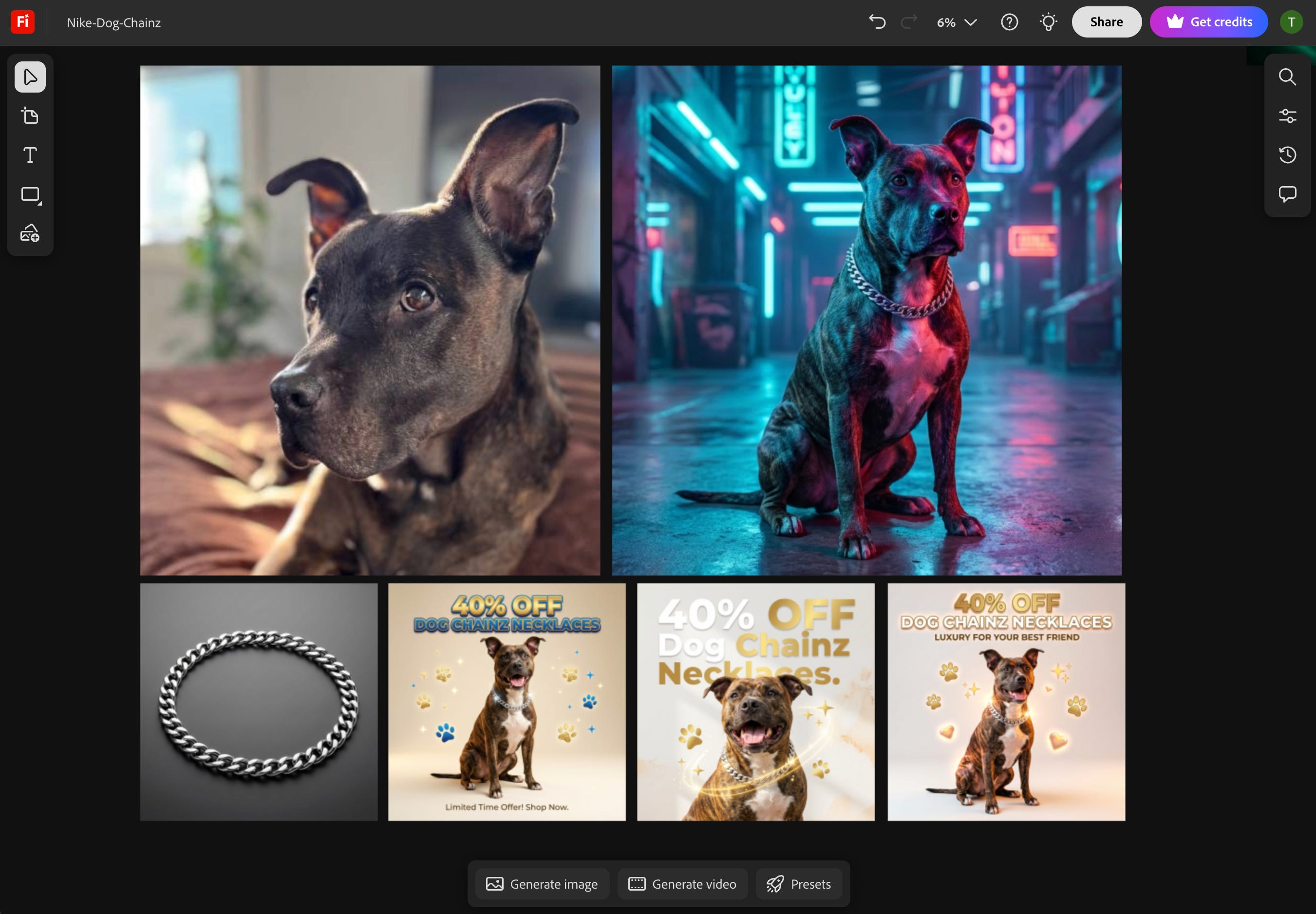
I tested it by turning a dog photo into a complete Instagram marketing campaign. Production-ready assets in under five minutes.
The best part? The text is actually legible.
What I built:
Dog photo transformed into cyberpunk billboard concept
Four ad variations: “40% off Dog Chainz Necklaces” readable across every layout
Product shots with professional lighting
Marketing copy with legible text
Complete brand campaign ready to publish
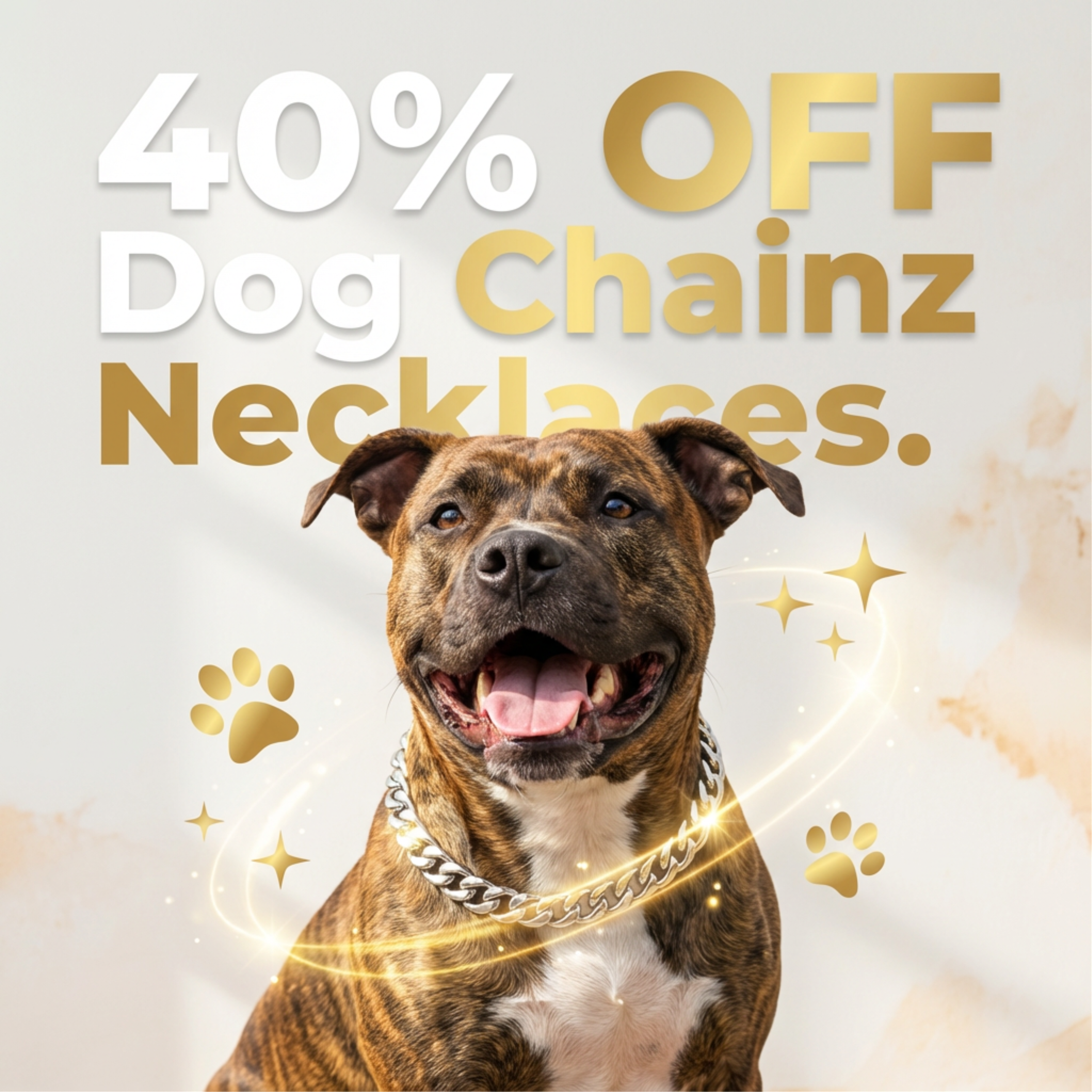
Why this matters: Nano Banana Pro is clean. Sharper edits, smarter lighting, legible text. This is what structured creativity looks like when Adobe plugs in a model built for precision.
The workspace advantage: Everything happened in Firefly Boards. From creative concept to product shot to marketing materials, all in one workspace. This is how you go from idea to execution without switching between five different apps.
The bigger picture: Adobe’s building the first multi-model creative platform. Firefly already integrates OpenAI, Runway, and more across image, video, and audio. Other tools give you a model. Adobe gives you a workflow.
TL;DR
Nano Banana Pro gives Adobe a true specialist: clean text, consistent characters, and 4K detail inside the tools creators already use.
Plugging specialists into Adobe’s workflow turns AI from a novelty into a production system. One workspace. No app switching.
Creative work moves faster in a multi-model environment, where each model contributes its strongest capability instead of one model doing everything.
You direct the vision and the models execute, with Adobe’s infrastructure acting as the glue that keeps the whole creative team coordinated.
What Nano Banana Pro Does Best
Nano Banana Pro isn’t just another image model. It’s a specialist that handles specific creative jobs better than most tools on the market. Here’s what it does and when to use it.
Legible Text Generation
Most AI models give you blurry approximations of text that look fine from a distance but fall apart when you zoom in. Nano Banana Pro generates images with legible, intentional typography in multiple languages, layouts, and formats. Text renders crisp, aligned, and clear.
This matters for infographics, ad mockups, posters, landing pages, social graphics: any design where text needs to communicate clearly.
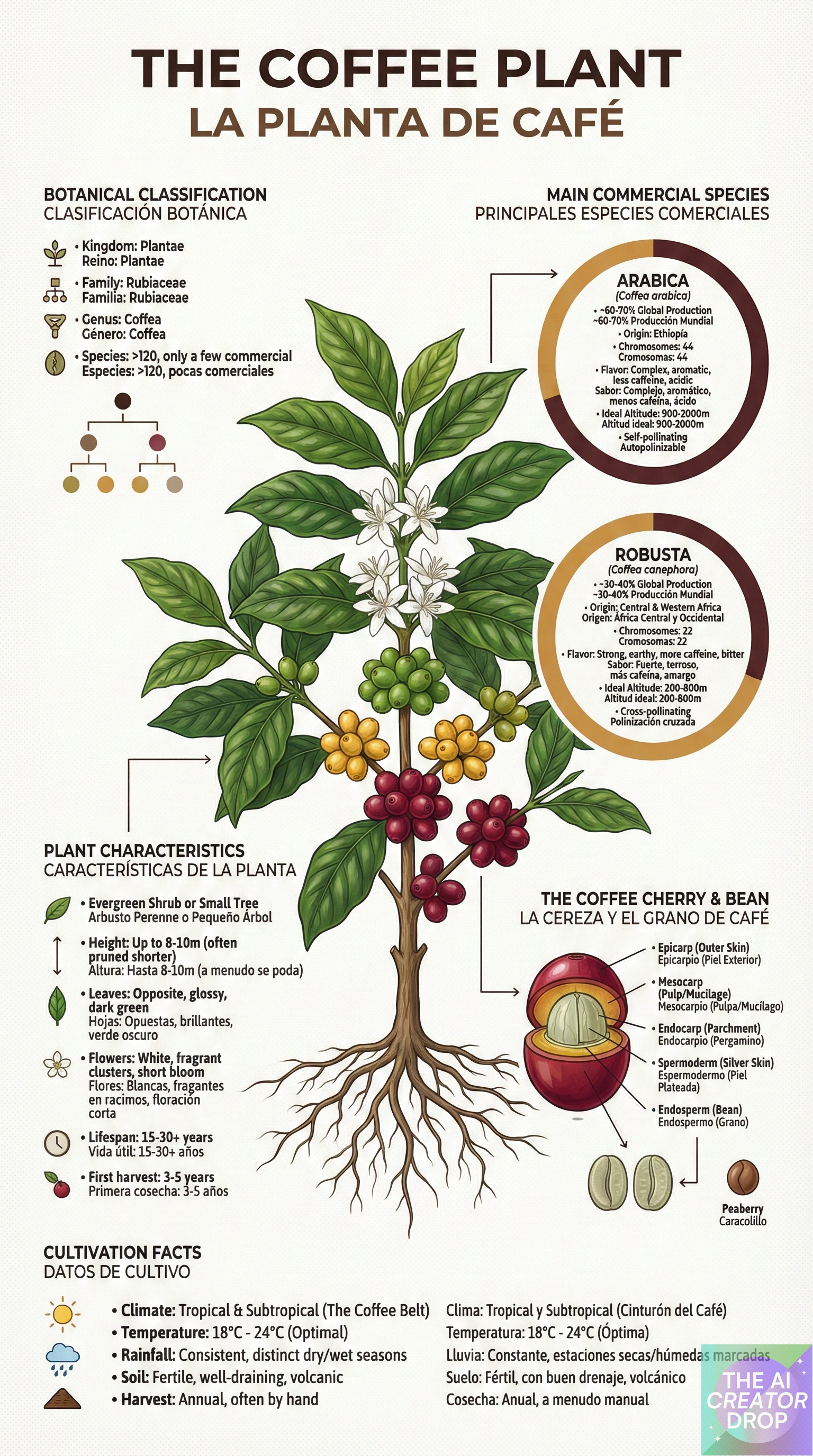
Nano Banana Pro generates text you can read and use. That’s not a small upgrade, that’s the difference between a concept and a deliverable.
Production-Ready Resolution
Most creative workflows involve generating an image, then running it through multiple upscaling tools to get it print-ready. That’s three extra steps and two quality degradations. Nano Banana Pro skips all that. You generate at the resolution you need and move straight to final output.
Nano Banana Pro generates images at 2K and 4K resolution. You’re not creating concepts to upscale later: you’re generating final assets at professional resolution.
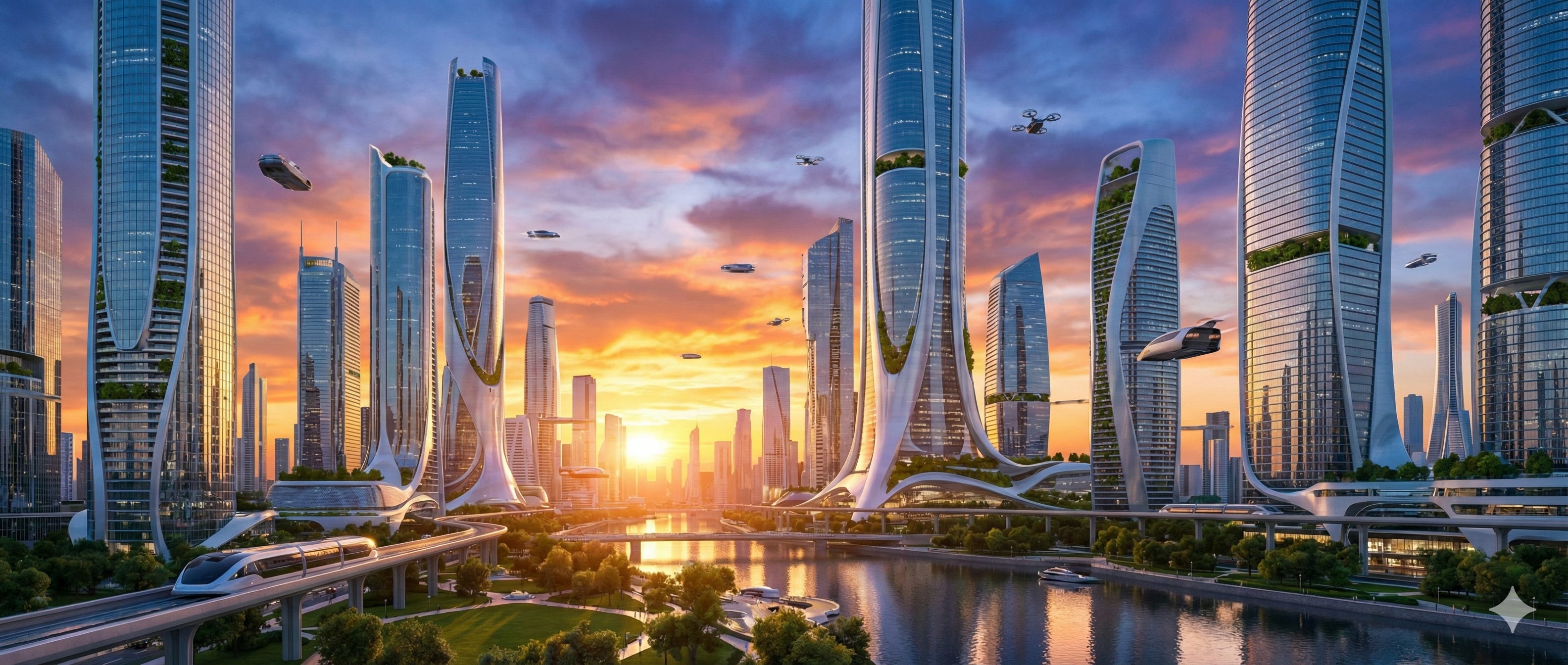
This matters for hero images for websites, print materials, large-format displays, anything requiring crisp clarity and detail at scale.
Create infographics and diagrams
Most AI image models make things that look like charts. Nano Banana Pro takes real data from spreadsheets and generates visuals that represent that information accurately. This isn’t decorative, it’s functional data visualization.
This matters for business reports, social media explainers, client presentations, educational content, any context where data needs to be communicated visually.
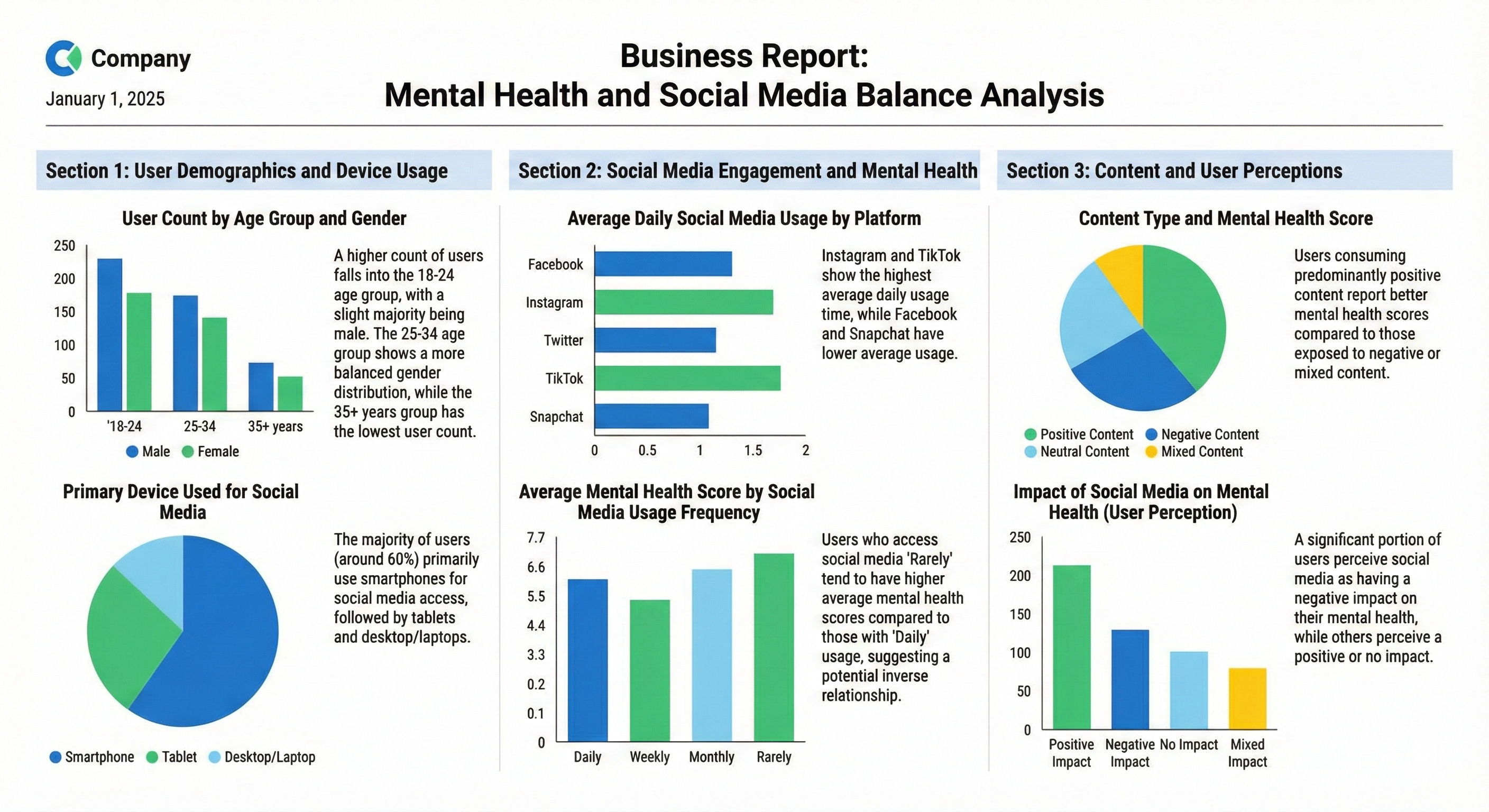
Multiple chart types, labeled sections, text summaries, all generated from your spreadsheets. With consistent professional styling.
This is where Nano Banana Pro separates itself from general-purpose image models. You’re not just asking it to “make something that looks like a chart.” You’re giving it your data and getting back accurate visual representations. That’s the workflow shift: from decoration to function.
Blend multiple images with face and style consistency
Character consistency has been one of the hardest problems in AI image generation. Most models introduce subtle variations with every generation: slightly different face shapes, inconsistent features, shifting proportions. That makes them useless for any project requiring the same subject across multiple images.
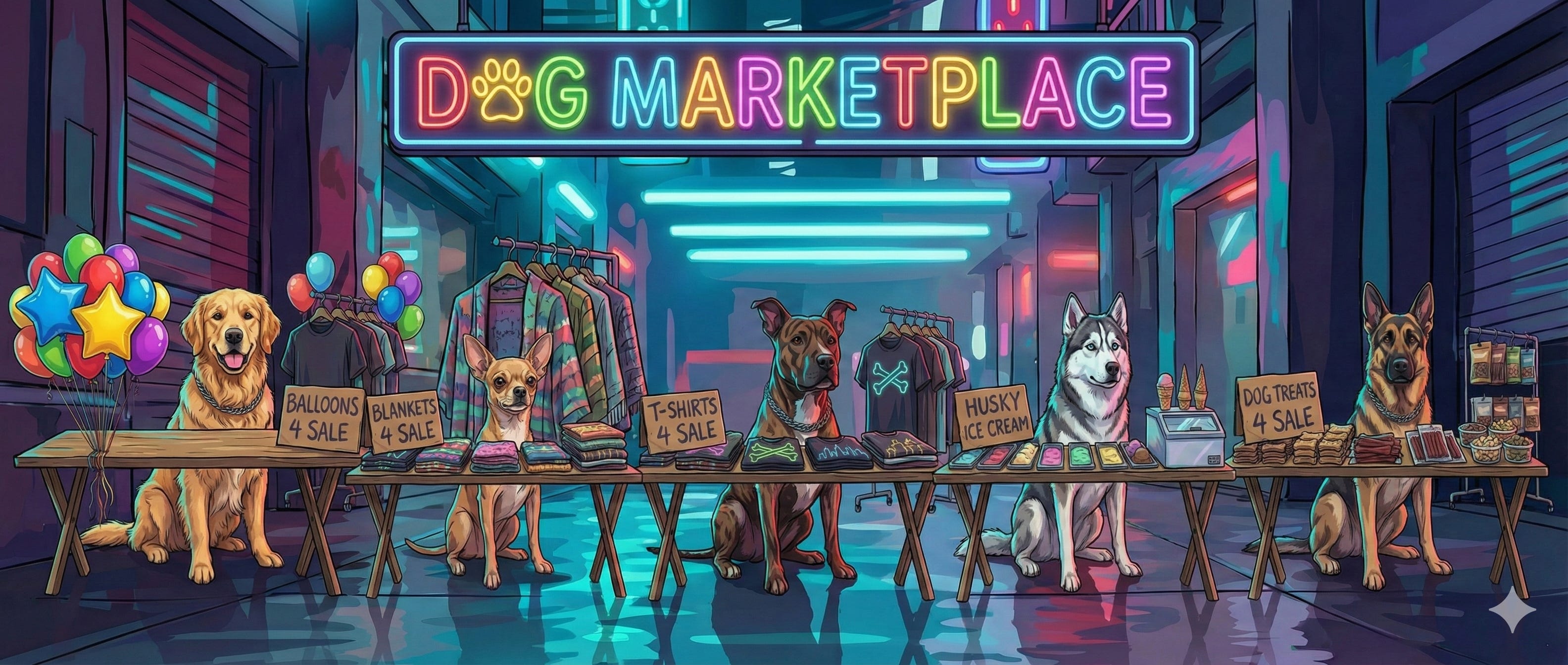
Nano Banana Pro blends up to 14 images while maintaining facial features, lighting logic, and visual style consistency across every frame.
This matters for visual narratives with recurring characters, product comparison grids, concept boards, any project requiring the same subject across multiple compositions.
Control lighting, angle, and focus
You’re not just describing a scene, you’re directing how light hits the subject, what angle captures it, and where focus lands. Nano Banana Pro gives you directorial control over scene elements.
This matters for product photography, stylized portraits, creative series with one subject, any work requiring precise control over visual presentation.
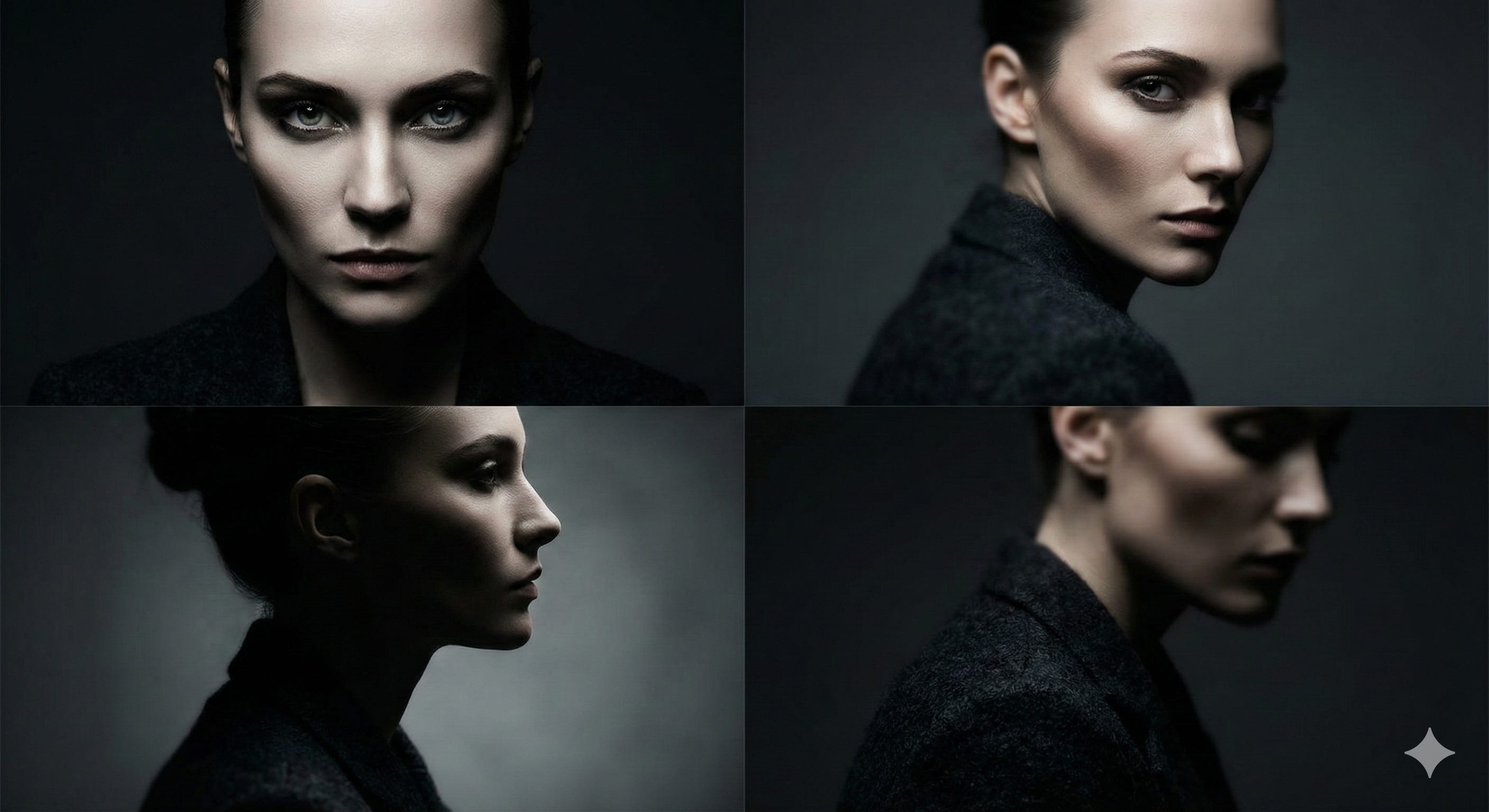
This is the shift from “I hope the AI understands what I mean” to “I’m directing exactly what I want.” You specify lighting direction, you control depth of field, you choose the angle. That level of precision turns AI from a random image generator into a production tool.
Nano Banana Pro is a precision model: it’s engineered for clarity, consistency, and control.
Adobe’s Multi-Model Infrastructure
The strategy shift: Adobe isn’t building one AI model to handle everything. They’re building infrastructure that connects the best specialist models into one platform.
Nano Banana Pro joins a lineup that includes OpenAI, Runway, Black Forest Labs, Luma AI, Moonvalley, Pika, ElevenLabs, Ideogram, and Topaz Labs. Each model has strengths. Adobe gives you access to all of them through one interface.
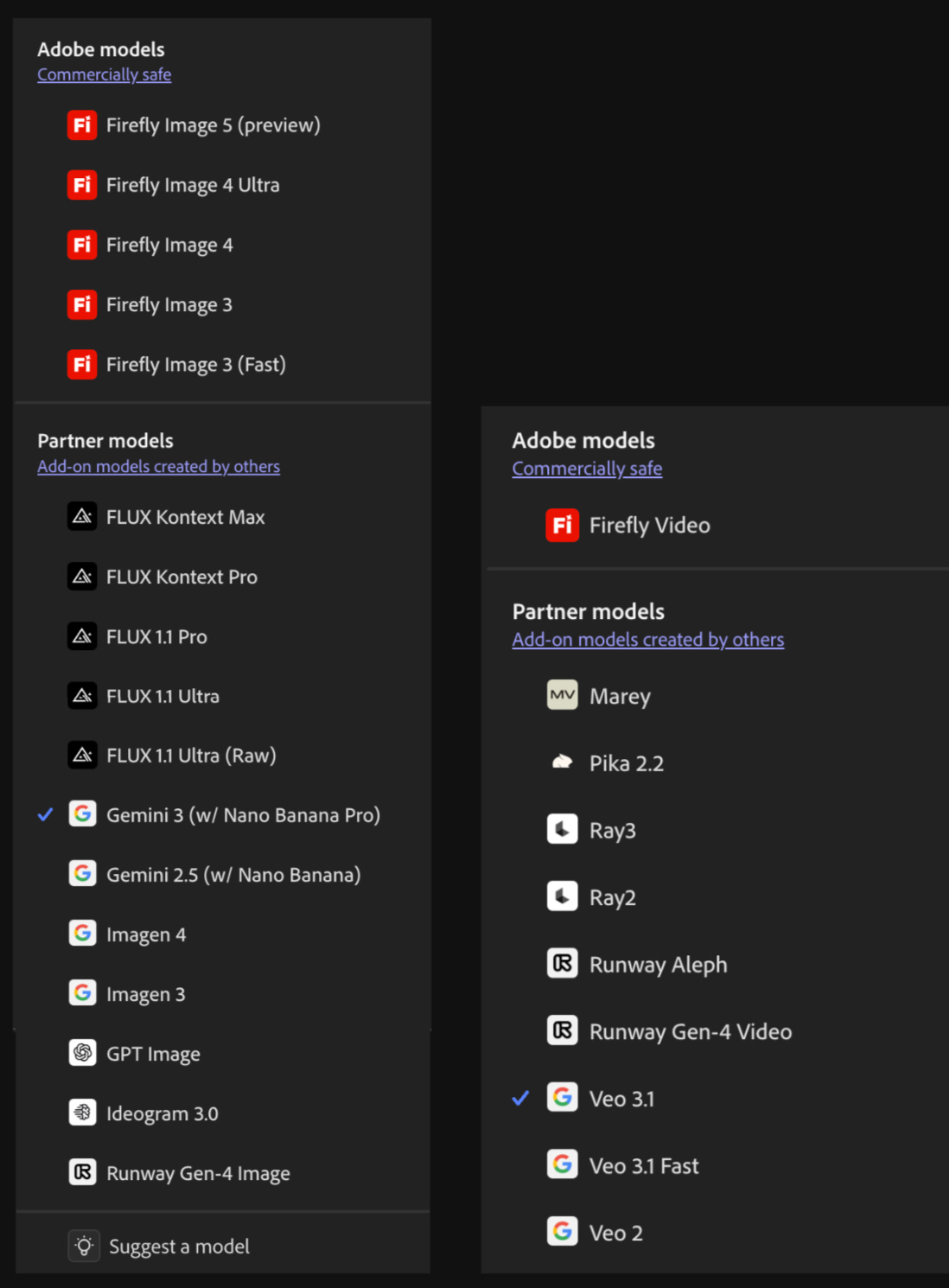
Why this infrastructure matters: Different creative jobs need different specialists. Product mockups need clean text (Nano Banana Pro). Cinematic video needs storytelling motion (Veo). Stylized artwork needs artistic interpretation (Midjourney through partnerships).
Instead of subscribing to five different platforms and jumping between them, you work in one system that adapts to what you’re building.
I covered Adobe’s multi-model strategy at MAX 2025. Here’s what I wrote then:
“This is what Adobe means when they talk about AI as infrastructure. It’s not one feature. It’s the layer that connects multiple AI capabilities into workflows that adapt to what you’re trying to accomplish.”
Read the full breakdown of Adobe’s multi-model strategy at MAX 2025

The workflow integration: Generate with Nano Banana Pro in Firefly. Move seamlessly into Photoshop with layers, masks, and selections intact. Professional editing tools plus cutting-edge AI generation in one workflow.
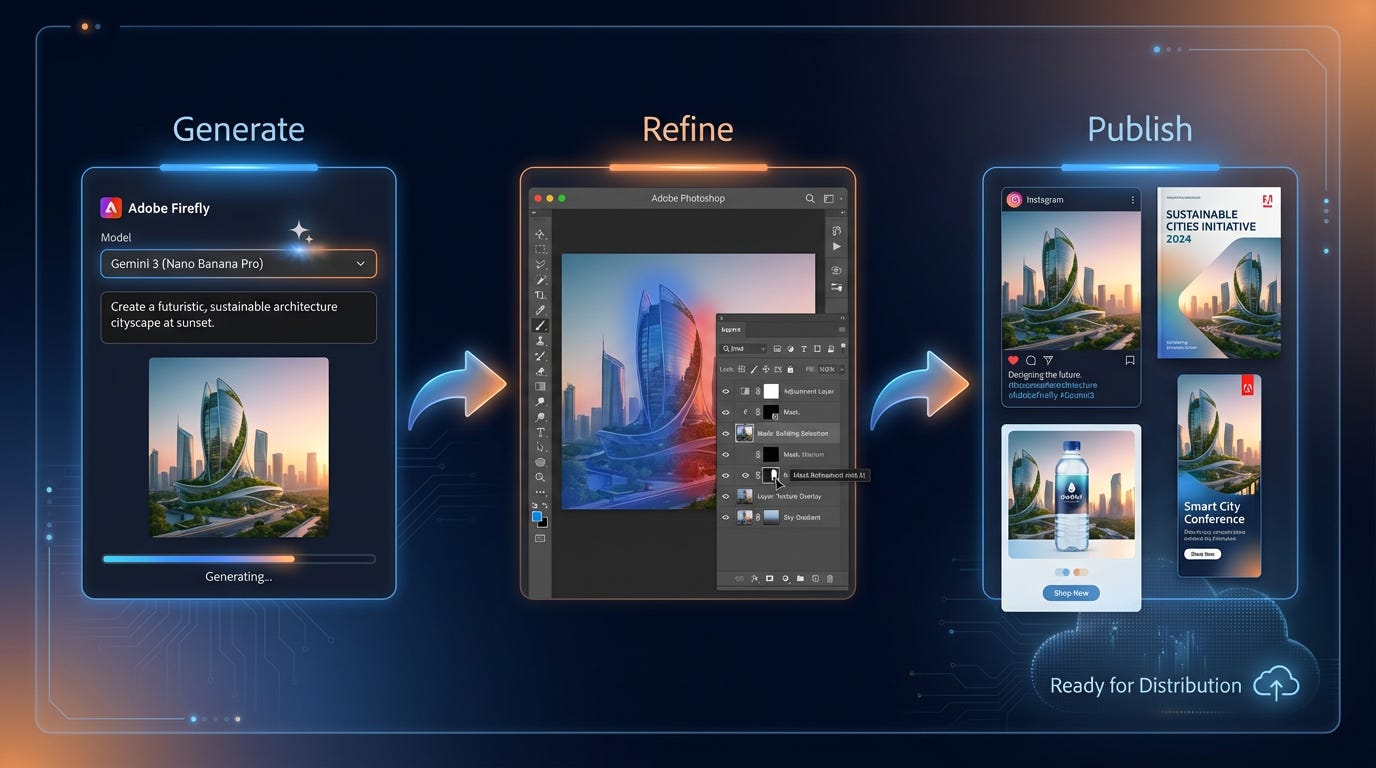
This is production-ready AI from concept to content. All in one system. No export-edit-reimport cycles. No context switching between platforms.
This is the part most people miss when they evaluate AI tools. They look at which model generates the best images in isolation. But creative work doesn’t happen in isolation. It happens across multiple steps, multiple revisions, multiple formats. Adobe built infrastructure that supports the entire workflow, not just one step in it.
Try Nano Banana Pro Yourself
Where to access it:
Go to firefly.adobe.com
Click the model dropdown menu
Select “Gemini 3 (w/ Nano Banana Pro)”
Available in Firefly Text to Image and Firefly Boards
Also integrated into Photoshop Generative Fill
Free unlimited generations through December 1, 2025. Available to Creative Cloud Pro subscribers and Firefly plan subscribers.
5 Prompts to Get Started
These prompts demonstrate workflows where Nano Banana Pro’s strengths (text clarity, detail accuracy, consistency) deliver the best results.
1. For data visualization:
Create a business report infographic showing Q4 sales performance across 5 product categories. Include a bar chart comparing revenue by category, a pie chart showing market share distribution, and a trend line graph showing monthly growth. Use clean sans-serif typography for all labels and data points. Style: modern corporate, blue and gray color scheme.2. For 4K hero images:
Generate a 4K product hero image of a stainless steel water bottle on a marble countertop with natural window lighting from the left. Background: soft-focus kitchen scene. Focus sharp on the bottle’s texture and condensation details. Style: clean minimalist product photography.3. For infographic posters:
Create a 4K educational infographic poster explaining the coffee supply chain from farm to cup. Include 6 stages with icons, bilingual labels (English/Spanish), and brief descriptions under each stage. Use warm earth tones (browns, greens, oranges) with modern sans-serif headers and clear hierarchy.4. For consistent character work:
Generate 4 product lifestyle shots featuring a golden retriever wearing a luxury chain collar. Scenes: 1) golden hour outdoor portrait, 2) studio white background with professional lighting, 3) moody indoor setting with dramatic shadows, 4) action shot running in a park. Maintain the same dog’s facial features and collar design across all variations.5. For directed product shots:
Create a professional product photograph of wireless earbuds on a dark slate surface. Lighting: single key light from top-right creating dramatic shadows. Shallow depth of field with sharp focus on the earbuds’ metallic finish. Include subtle reflections on the surface. Background: completely black. Style: premium tech product photography.Pro tips:
Start simple and let Firefly enhance your prompts automatically.
Use Boards to organize variations and build complete campaigns in one workspace.
Export to Photoshop when you need layer-level control or complex compositing.
Your New Role: Creative Director
The shift happening right now isn’t about AI replacing creative work. It’s about AI elevating your role from executor to creative director.
You used to need years of Photoshop training to create professional marketing materials. You needed to understand lighting principles, typography rules, layout theory, color grading, composition fundamentals. That knowledge took time to build and even more time to execute.
Now you direct. You describe the vision. You choose which specialist handles which task. The tools handle execution.
This is a massive moment for solopreneurs, small business owners, and creators who have clear visions but limited technical training. The barrier between “I can see what I want” and “I can make what I want” just collapsed.
Adobe integrating Nano Banana Pro isn’t just a model update. It’s infrastructure for this new creative reality. Where you switch between specialist AI models like you’d assign tasks to team members. Where your dog becomes the star of a luxury pet brand in three minutes. Where complete marketing campaigns live in one workspace instead of scattered across five different apps.
The creators who win in this environment aren’t the ones with the most technical skills; they’re the ones with the clearest vision and the strategic sense to direct the right tools for each job.
You’re not learning to be a better Photoshop user anymore. You’re learning to be a better creative director. To know which specialist handles which task. To communicate vision clearly enough that AI can execute it accurately. To orchestrate multiple tools into cohesive creative output.
That’s the shift. And it’s happening faster than most people realize.
