

The Vibe Coder's Shortcut to the App Store
Manus 1.6 proves you don’t need to code to ship a real mobile app

This post is partnered with Manus.im. All opinions and testing are my own.
Unlock 1,000 Manus credits and start building apps today
If you can explain it, you can build it: that’s the new rule.
Most of us are stuck in a frustrating loop of prompt → critique → re-prompt → give up. We treat AI like a junior intern we have to micromanage, constantly pasting error logs back into the chat or fighting to get text on an image spelled correctly.
Manus 1.6 changes that dynamic. This update isn’t about “better outputs.” It’s about less back-and-forth. Less reminding your AI what you already explained clearly in the first prompt.
With 1.6 MAX, Manus is operating on a new architecture that prioritizes persistence, tool awareness, and execution over vibes.
The result: higher task success rates, stronger deep research, and far fewer moments where you’re rephrasing the same request like it’s a negotiation.
But the real shift isn’t just under the hood. Manus isn’t limiting itself to websites anymore. It’s building actual mobile apps. iOS. Android. Real installs. Real previews. Real constraints.
Add in a canvas-based Design View, blueprint-level control before anything is built, and built-in SEO and domain management and this update moves Manus out of the “AI experiment” category and into something more dangerous: a tool you can actually rely on.
Let’s get in to how the new features work and a prompt template you can steal to start building today.
The Drop
Chatbots help you think. Agents do the work. You describe what you need, Manus builds a plan, executes it, and fixes its own mistakes along the way. You come back to finished work.
Manus 1.6 MAX delivers 30% better deep research with significantly fewer retries, so tasks complete autonomously without constant supervision
Mobile app development is now supported: iOS + Android apps with preview in Expo Go, not just websites
Design View adds visual editing: point-and-click canvas for image creation and editing beyond text prompts
When to Use What: 1.6 MAX vs Regular vs Lite
Manus 1.6 comes in three modes, and picking the right one saves time:
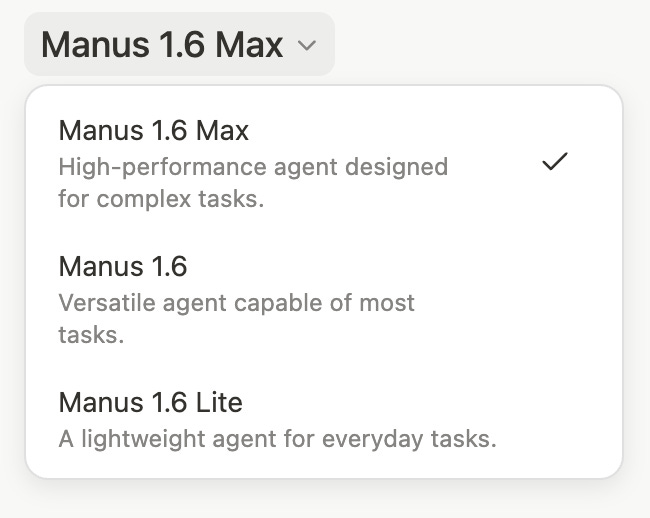
Manus 1.6 MAX is the high-performance option. Use it for complex builds, deep research tasks, or anything that benefits from persistence and better tool use.
My Idea Vault app was built on 1.6 MAX - it handled the multi-feature build and the OpenAI Whisper integration without breaking a sweat.
Manus 1.6 (Regular) is the versatile middle ground. Capable of most tasks, fast, and reliable for everyday use.
Manus 1.6 Lite is available on free plans. It’s designed for quick, simple tasks - great for planning, brainstorming, or testing whether an idea has legs before committing to a full build.
My recommendation: start with Lite to develop your plan and clarify your feature set. Once you know exactly what you’re building, switch to MAX and let it run.
How Mobile Dev Works in Manus 1.6
Most vibe coding tools stop at websites. Manus 1.6 goes further: now it supports building iOS and Android applications, with live preview available through Expo Go.
Here’s the workflow:
You describe what you want to build.
Manus generates a Blueprint - basically a project plan showing the feature set, tech stack, and structure before any code gets written.
You review it, pick a visual style (or let Manus curate one), and select which capabilities to include. Then it builds.
The preview happens in Expo Go, a free app available on both iOS and Android. You scan a QR code, and your app loads on your actual phone. Not a simulator. Not a mockup. A functional app you can tap through and test in real conditions.
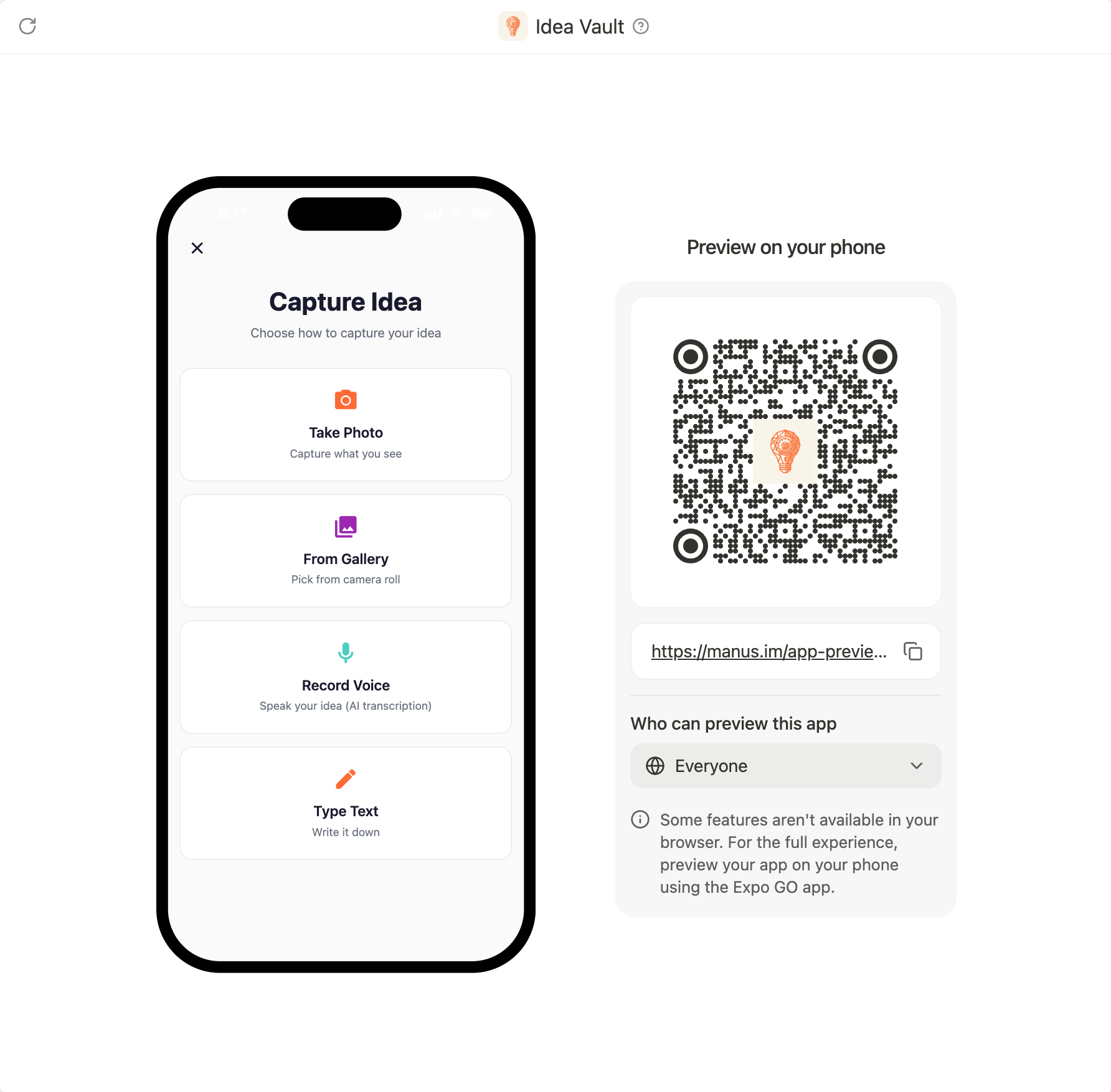
For Android users, you can download the APK package and install the app directly on your device, or share it with others to test.
For iOS, getting your app live in the App Store requires registering as an Apple Developer and submitting for approval. Manus handles the build; Apple handles the gatekeeping. That part hasn’t changed. But the gap between “idea” and “testable app on my phone” just collapsed from weeks to minutes.
Design View: Edits Without Starting Over
While testing 1.6, I also used the new Design View to tweak my app icon with Manus.
Manus generated a blue lightbulb graphic for Idea Vault. It was fine, but I wanted more depth - a grey gradient background with a glowing blue aura behind the bulb.
Old workflow: re-prompt, wait for regeneration, hope it keeps the structure intact.
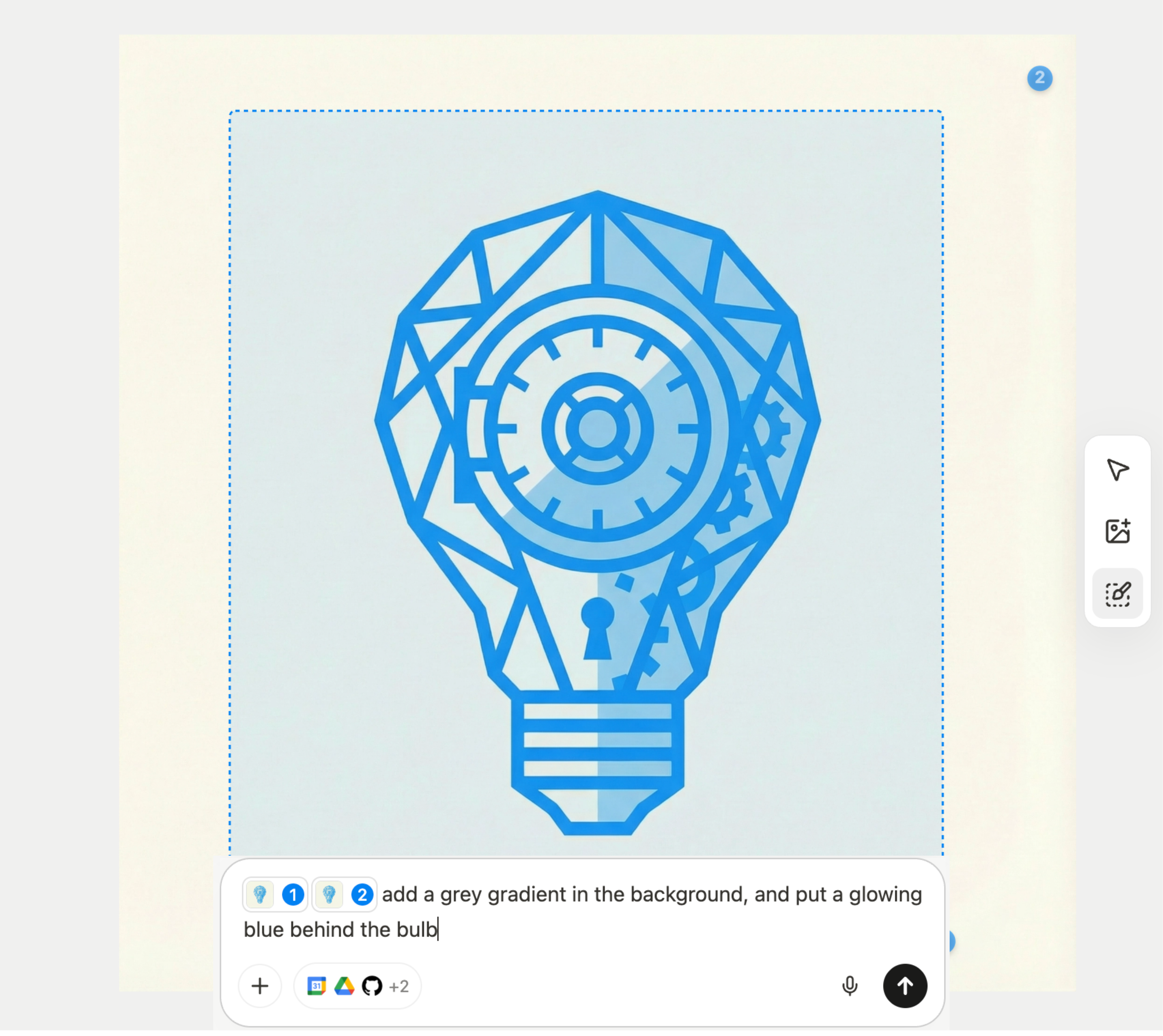
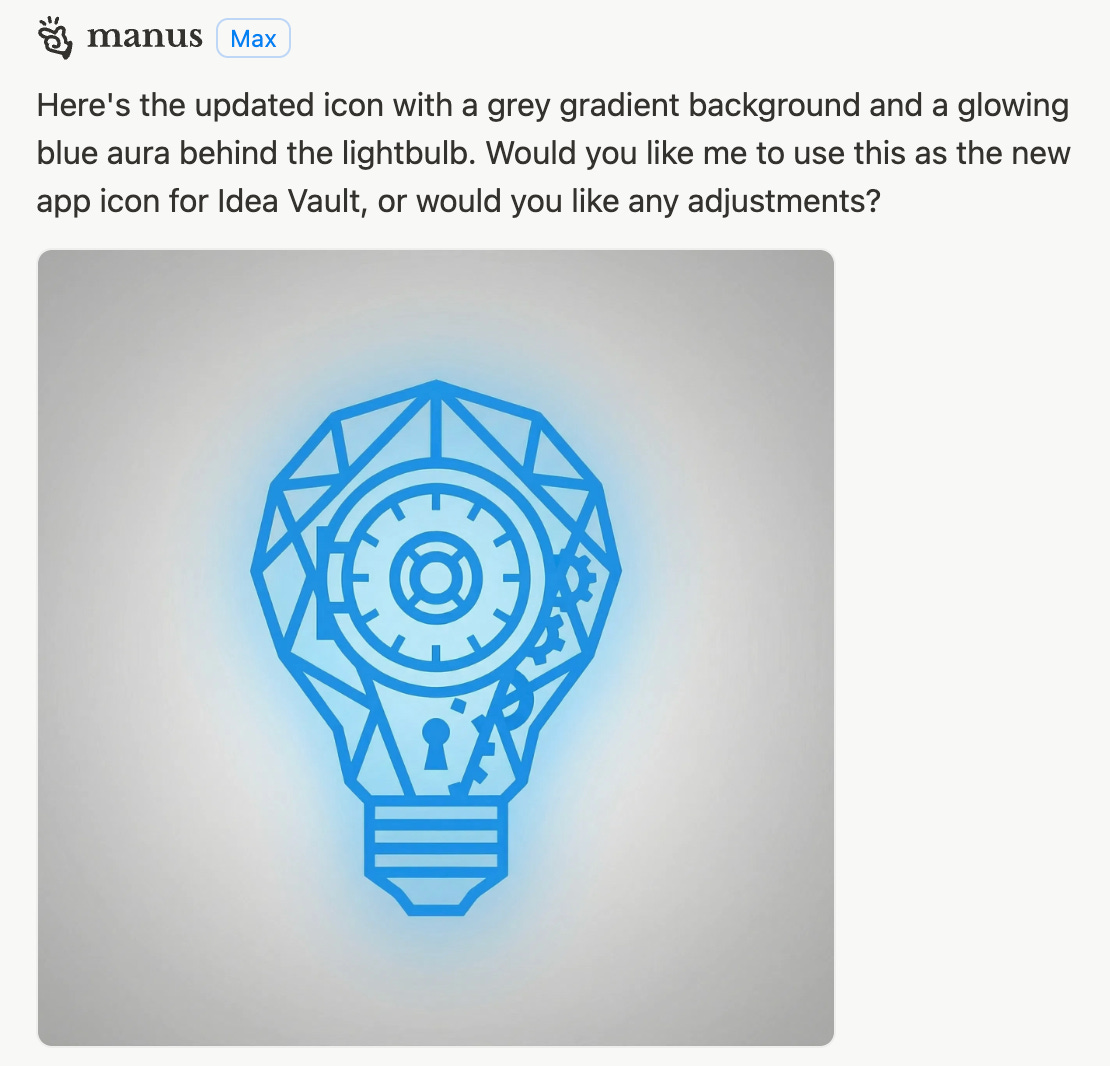
New workflow: I opened Design View, typed my edit request right on the canvas, and Manus adjusted the existing image. Grey gradient added. Blue glow applied. Same lightbulb, better presentation.
Design View is an interactive canvas for image creation and editing. You can make local changes with point-and-click controls, modify text directly on images, and composite multiple images together. It’s the polish step - the part where you fine-tune without burning down what already works.
For anyone who’s lost an hour to “can you make the logo slightly different but keep everything else the same,” this is the fix.
What I Built: The Idea Vault
Here’s my problem: I get content ideas everywhere. Walking the dog. Scrolling someone else’s post. Mid-conversation when I should be listening. By the time I sit down to create, half of them have evaporated.
I wanted an app that works like reaching for a quick notepad. Not opening a complex system I’m just gonna get lost in. Capture the idea (photo, voice note, or text), let AI categorize it automatically, and move on with my life.
So I prompted Manus to build it.
The prompt was detailed but not complicated: a mobile app called “Idea Vault” with three capture methods, automatic AI categorization into buckets like Post Idea or Tutorial Concept, and a clean interface optimized for one-handed phone use. Local storage only, no login required. Speed over features.
And instead of explaining how to build it, Manus starts working.
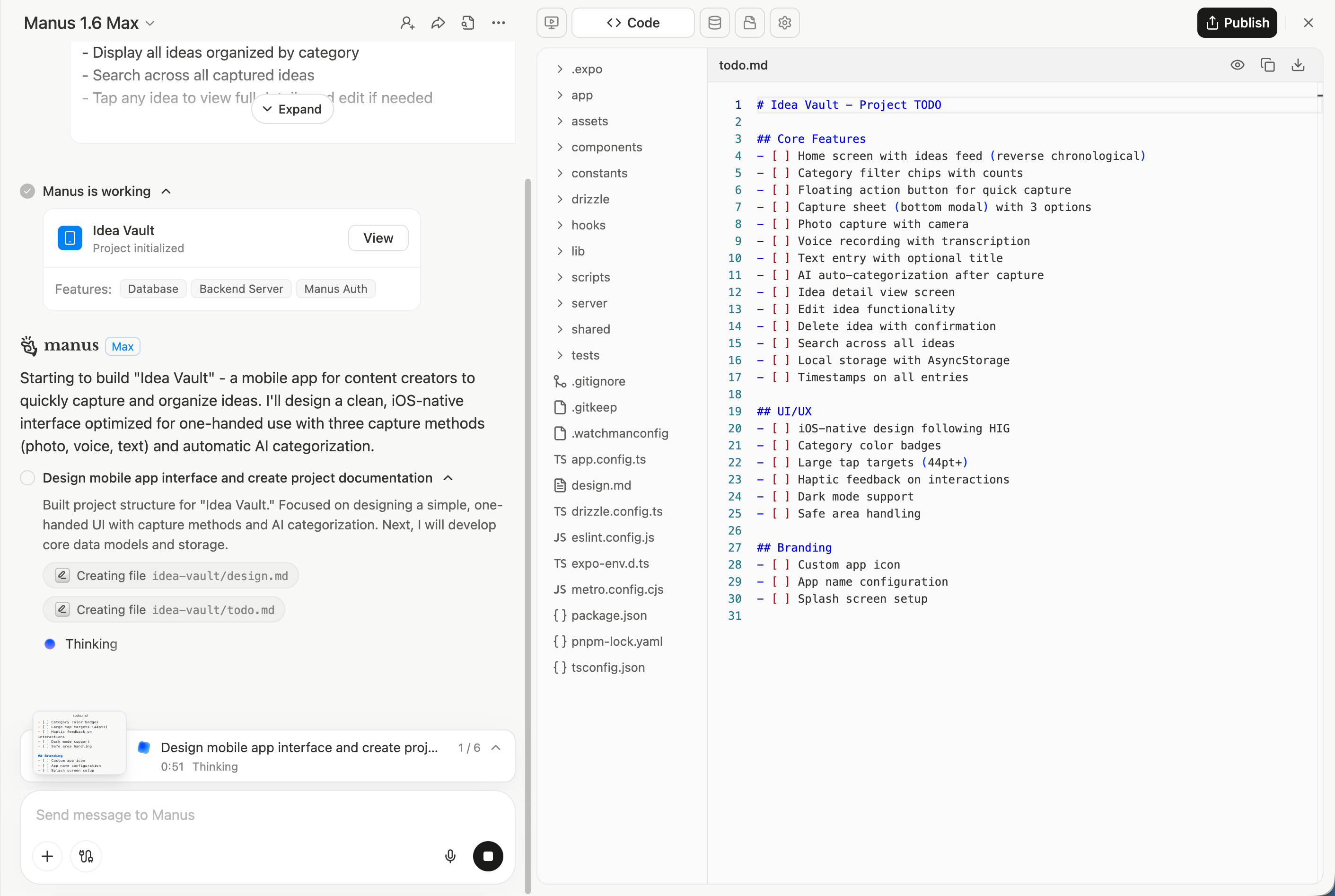
Within five minutes, I had a working demo link. I opened it in Expo Go on my phone, tapped around, captured a few test ideas. It worked. The categorization was sorting correctly. The interface was clean.
The transcription button wasn’t functional in my first build, so I asked Manus to fix it. One prompt later, it implemented OpenAI Whisper for voice-to-text. No debugging on my end. No Stack Overflow rabbit holes. I described the problem, Manus fixed it.
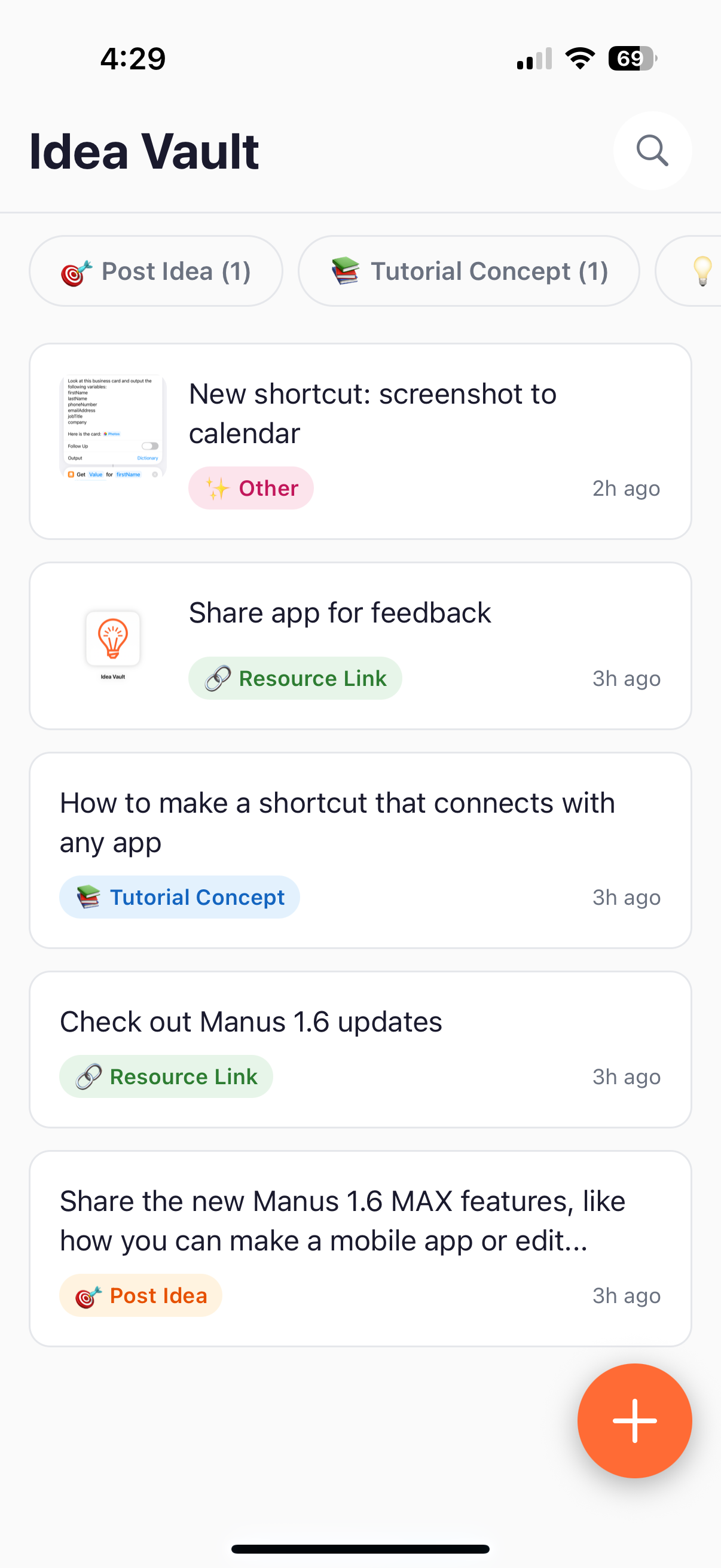
Then I sent the preview link to a friend to test. No publishing required, no App Store submission, just a shareable link. She opened it, added an idea, and texted back: “Wait, you made this?”
That’s the difference between a chatbot and an agent. Chatbots answer questions. Agents do the work and course-correct when something breaks.
The App Starter Prompt: Your PRD in 60 Seconds
The biggest unlock with tools like Manus isn’t the technology - it’s knowing what you actually want to build.
Vague prompts get vague results. Clear prompts get functional apps.
Here’s a template you can copy, fill in, and paste directly into Manus (or any vibe coding tool). Think of it as a lightweight Product Requirements Document (PRD), basically the blueprint to build your app. without the corporate overhead.
Copy this. Fill in the brackets. Paste into Manus:
Build a mobile app called "[APP NAME]" that helps [TARGET USER] to [MAIN PROBLEM IT SOLVES].

CORE FUNCTIONALITY:
- [Primary action - the ONE thing users do most]
- [Secondary action - what supports the primary]
- [How content/data is organized or displayed]

MOBILE-FIRST DESIGN:
- [Design vibe: minimal, playful, professional, bold, calm, etc.]
- [Specific UI preferences: dark mode, large tap targets, bottom navigation, etc.]
- Works on both iOS and Android

KEY FEATURES:
- [Feature 1 with specific behavior]
- [Feature 2 with specific behavior]
- [Feature 3 with specific behavior]

KEEP IT SIMPLE:
- No [thing you're intentionally leaving out]
- No [another thing you're skipping]
- Focus on [core value] over [nice-to-have distraction]

TARGET USER: [One sentence describing who this is for and the moment they'd reach for it]
Example filled in (my Idea Vault prompt):
Build a mobile app called "Idea Vault" that helps content creators capture ideas before they disappear.

CORE FUNCTIONALITY:
- Quick capture via photo, voice note, or text
- AI automatically categorizes each capture (Post Idea, Tutorial, Quote, Resource)
- Display all ideas organized by category with search

MOBILE-FIRST DESIGN:
- Clean, minimal interface for one-handed use
- Large tap targets for capturing while walking
- Works on both iOS and Android

KEY FEATURES:
- Voice-to-text transcription using device microphone
- Timestamp each entry with date/time
- Category count badges (e.g., "Post Ideas (12)")

KEEP IT SIMPLE:
- No user accounts or login (local storage only)
- No complex settings
- Focus on speed of capture over fancy features

TARGET USER: Content creator who gets ideas everywhere and needs to grab them instantly before they vanish.
The clearer your input, the less back-and-forth required. Manus is smart, but it’s not a mind reader. Spend five minutes on this prompt and save yourself five rounds of “actually, can you change...”
Start With Clarity
The tool is ready. The question is whether you are.
If you’ve been sitting on an app idea, the blocker was never access to technology. It was the friction between “concept in my head” and “thing I can touch on my phone.” Manus 1.6 removes that friction - but it still needs you to show up with a clear vision.
Write the prompt. Be specific about who it’s for and what problem it solves. Decide what you’re leaving out (this matters more than what you’re including). Then let the agent build.
Your app doesn’t have to be perfect. It has to exist.
By the time I finished testing 1.6, Manus dropped another announcement: they crossed $100M ARR just nine months after launch.
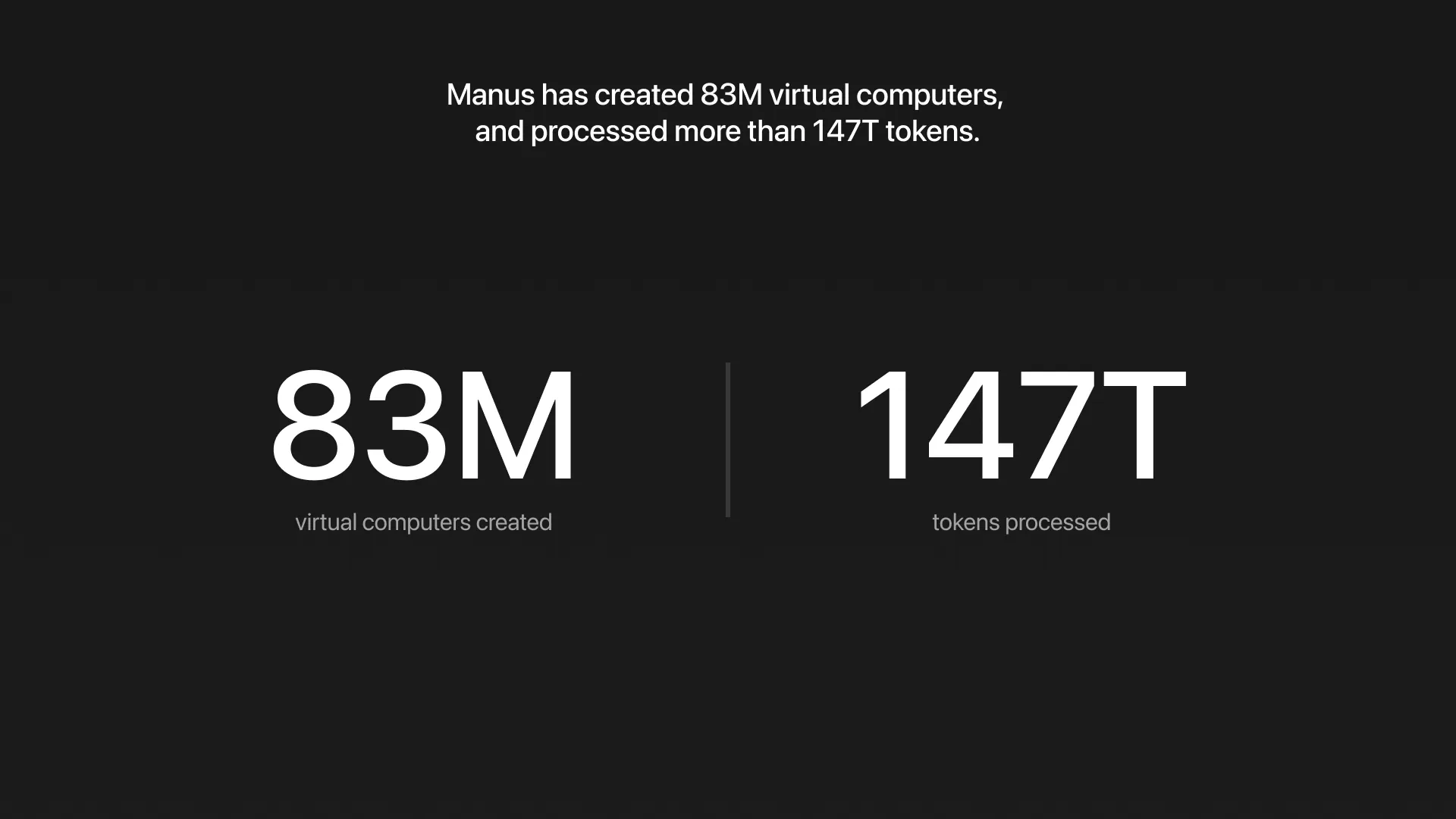
The headline number is impressive, but what matters more are the usage signals underneath it:
147 trillion tokens processed
83M virtual computers created
Manus isn’t being used to “brainstorm.” It’s being used to build.
Great read, and the app starter prompt is 👌🏾. I've really been enjoying the ecosystem Manus is creating! The new mobile app creation makes sending an idea to the App store much more accessible.
I think what makes it much different is that it's virtual computer is much more advanced which creates more complex tasks. I'm excited to see whats to come because it's been mind-blowing so far!
I also love the app Vibecode, where you can create apps on your smartphone with the main driver being Claude Code.