

Stop "Generating" and Start Directing: The New AI Video Workflow
Adobe's new Firefly tools stop you from wasting generations on almost-perfect clips


Until today, AI video was a slot machine. You paid in time and credits, hoping for a jackpot. Adobe just turned it into a vending machine: punch in what you want, get it.
Here’s the new protocol.
Prompt to Edit lets you fix specific elements in generated clips without regenerating the whole thing. Camera Motion Reference lets you define exactly how the camera moves instead of accepting whatever the model decides. Topaz Astra upscales your footage to 4K so it’s actually usable in client deliverables. And the browser-based Firefly video editor ties it together with timeline and text-based editing.
This is the shift from “generate and pray” to “generate and direct.” The generation part of AI video has worked for a while. The editing part, targeting what’s wrong without destroying what’s right, has been broken. That’s what shipped this morning.
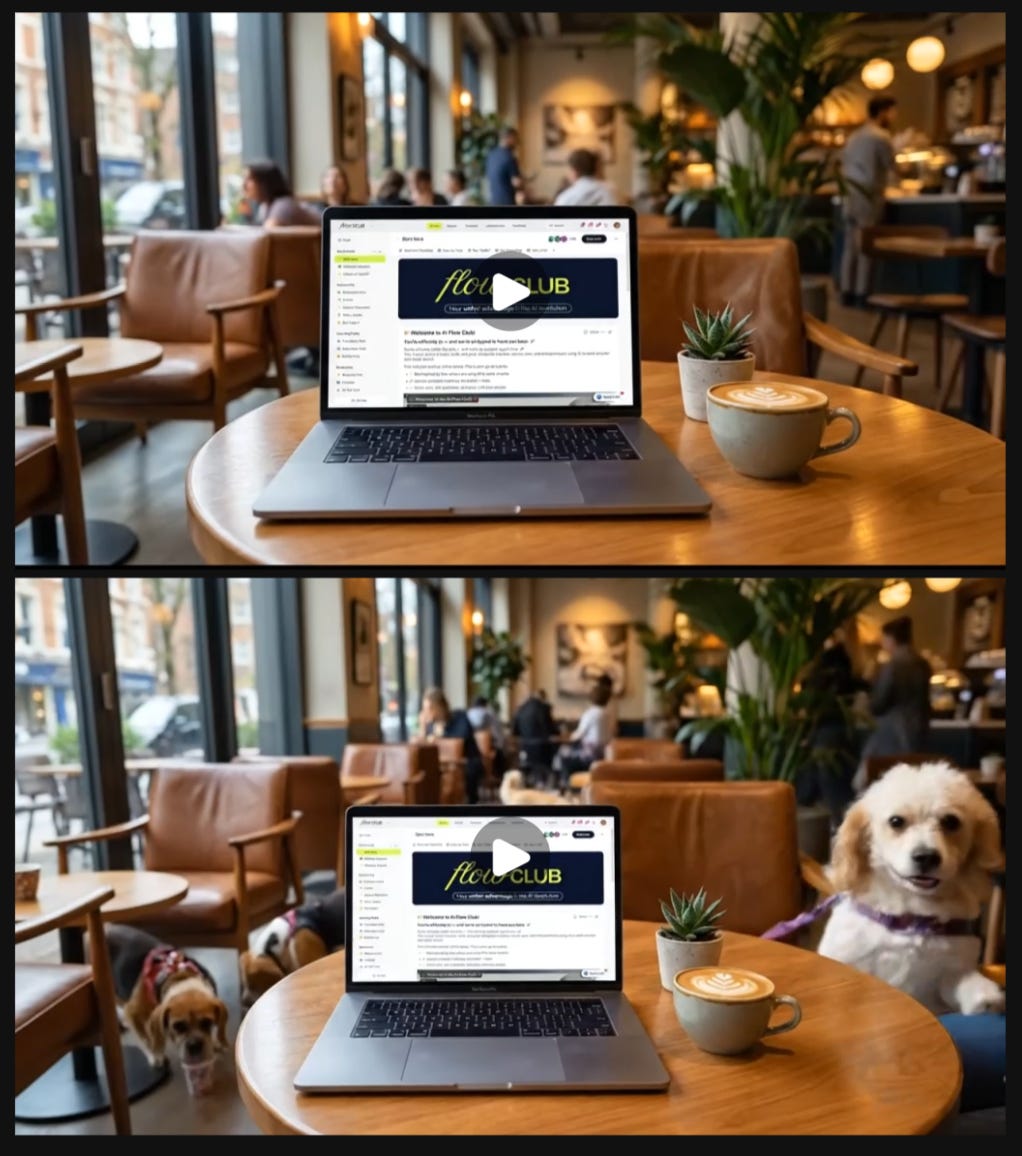
Adobe dropped new Firefly video tools that address this directly:
Prompt to Edit lets you target specific elements in a generated clip without touching everything else.
Camera Motion Reference lets you define exactly how the camera moves instead of accepting the model’s interpretation.
The browser-based Firefly video editor ties it all together with timeline and text-based editing.
The Drop
Prompt to Edit: Fix specific elements in generated clips without regenerating
Camera Motion Reference: Upload a reference video to get consistent, intentional camera movement
Firefly Video Editor: Browser-based timeline editing with text-based editing for interview content
What this means: AI video becomes a refinement tool, not a slot machine
Prompt to Edit: Fix Without Starting Over
Prompt to Edit (powered by Runway’s Aleph model) lets you make targeted changes to generated clips.
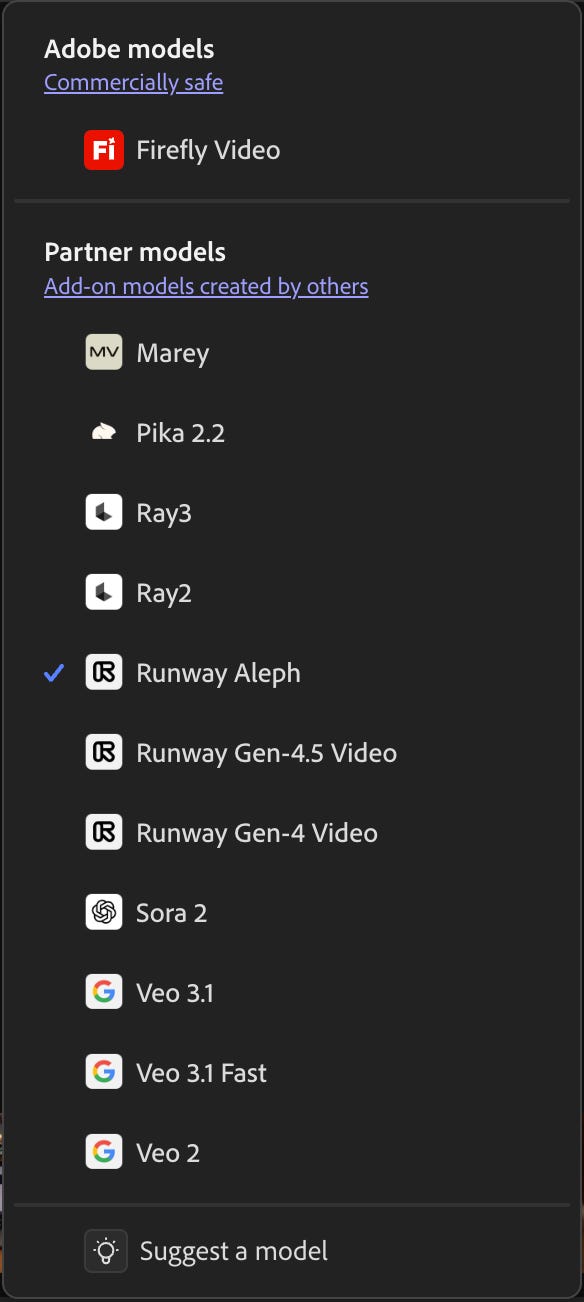
Firefly isn’t limited to Adobe’s own video model. Runway Aleph, Sora 2, Veo 3.1, Pika 2.2: they’re all here, and the editing tools work across all of them.
Same story on the image side. FLUX.2 from Black Forest Labs just landed in Firefly: photorealistic detail, cleaner text rendering, and support for up to four reference images. It’s available in Text to Image, Prompt to Edit, and Firefly Boards, plus Photoshop desktop now and Adobe Express in January.
Adobe’s positioning Firefly as the creative layer that sits on top of whatever models you choose. Generate with Runway. Edit with Firefly tools. Export to Premiere. The models are modular; the workflow stays consistent.
Here how it changes the workflow
Generate your video in Firefly, then make targeted changes by prompting.
“Remove the person on the left side of the frame”
“Replace the background with a clean studio backdrop”
“Change the sky to overcast and lower the contrast”
“Zoom in slightly on the main subject”
Firefly applies those edits to your existing clip. The good stuff stays. The problem gets fixed. You move forward instead of gambling with regenerations.
The commands work the way you’d expect: describe what you want changed, and the model targets that element while preserving everything else. You can stack edits, too. Remove the cup, then adjust the lighting, then tweak the framing. Each change builds on the last instead of rolling the dice fresh.
This is the difference between using AI video tools and directing AI video tools. You’re not hoping the next generation is better. You’re telling it what to change.
Camera Motion Reference: Your Movement, Not the Model’s Guess
Your camera language is part of your voice. Now you can keep it.
AI-generated camera movements have been a dice roll. You describe what you want. The model interprets that however it interprets it. Sometimes you get a smooth dolly push. Sometimes you get something that looks like the camera operator had too much coffee.
The new Camera Motion Reference workflow gives you control over this:
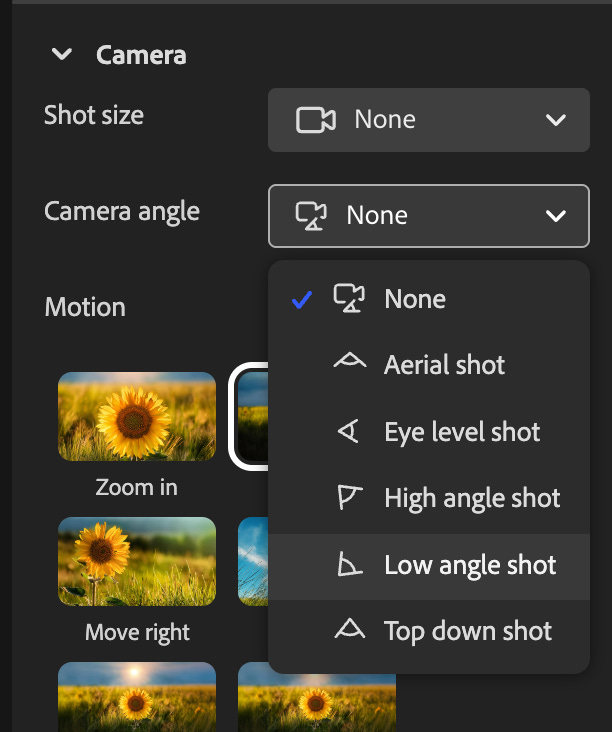
Upload your start frame image along with a reference video showing the camera movement you want. Firefly recreates that specific movement in your generated clip.
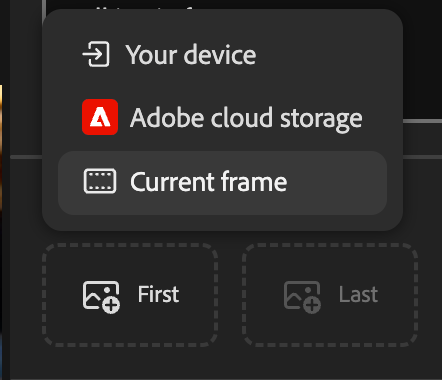
Your visual style stays yours. AI stops making random creative decisions on your behalf.
This matters if you’re building a brand, a channel, or any body of work where consistency isn’t optional. Your camera language is part of your voice. A whip pan communicates something different than a locked-off shot. A slow push-in creates different energy than a static wide.
These choices matter, and, until now, you couldn’t make them reliably with AI-generated footage.
The reference workflow fixes that. You define the movement and the model follows it.
Topaz Astra: Push to Production Resolution
Topaz Astra, now available in Firefly Boards, handles the upscale to 1080p or 4K.
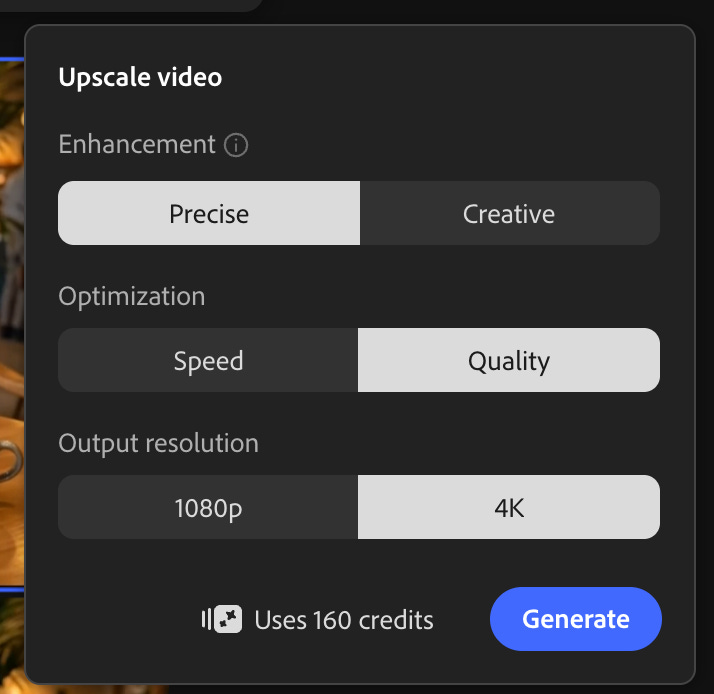
The workflow: Generate at lower resolution while you’re iterating. Move faster, use fewer credits. Once you’ve got the clip that works, run it through Astra to hit production specs.
This also opens up older footage. Archival content, early product videos, event recordings shot on phones five years ago: Astra can pull back clarity and detail you’d written off. If you’ve got assets collecting dust because the quality doesn’t hold up anymore, they might be usable again
Browser-Based Editing That Ties It Together
All of these features come together in Firefly’s video editor, now in public beta.
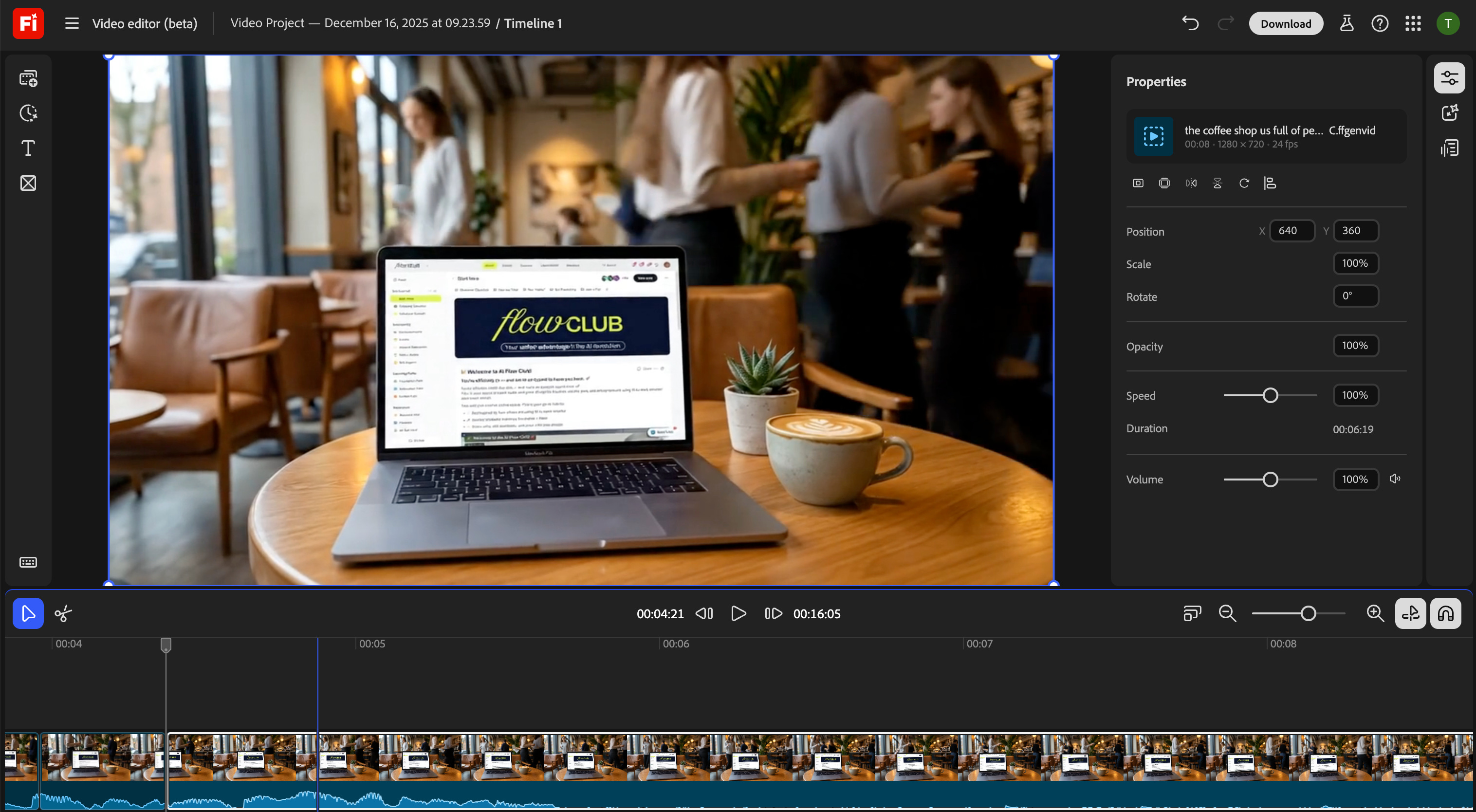
It’s browser-based. You build complete videos by combining clips, music, and your own footage on a multi-track timeline. No software install required.
Two ways to work:
Timeline editing when you want precise control over pacing, cuts, and layers.
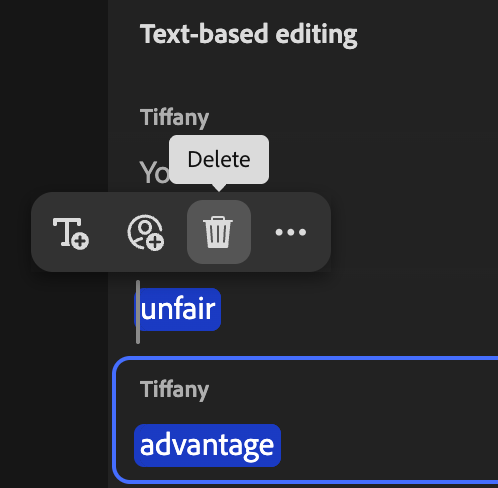
Text-based editing when you’re working with talking-head or interview content. You can trim and rearrange segments by editing the transcript directly. If you’ve ever scrubbed through 45 minutes of footage looking for the one good take, you understand why this matters.
Export options cover vertical social formats and widescreen, so what you make in Firefly can sit next to your traditionally edited work without looking out of place.
This is the assembly space where Firefly generations become finished pieces. Not just clips you made, but videos you can publish.
Where This Fits Your Work
These tools aren’t just for people who make AI video content about AI video. Here’s where they fit into real workflows:
The Production Workflow
B-roll has always been the time sink. You need three seconds of a laptop screen, five seconds of someone walking, ten seconds of cityscape footage. Generate it, fix the parts that don’t work, match the camera movement to your existing footage. Stop settling for stock that’s “close enough.” Stop regenerating for 45 minutes because of one shadow.
Sponsored content gets simpler. That product shot where the lighting was off? Fix it with a prompt instead of rebooking the shoot. The background that looked cluttered? Clean it up instead of re-staging. You keep the take. You fix the problem. You move on.
The Margin Play
Fixing a shot costs credits. Reshooting costs a crew, a location, and a day.
Fixing wins.
If you’re billing clients for video work, Prompt to Edit turns “we need to reshoot” into “give me ten minutes.” That’s not a convenience—that’s margin. And Topaz Astra upscaling to 4K is what makes generated footage billable in the first place. Without production resolution, you’re stuck at demo quality. With it, AI-generated clips sit next to traditional footage in client deliverables.
The Pitch Advantage
Concept visualization moves from static to motion. Mood boards breathe. Client pitches show direction instead of describing it.
You can iterate on visual ideas the way you’d iterate on a sketch: adjust, refine, push further, without starting over each time. When a client says “I like it but can we try...” you try it. In the meeting. Instead of going back to your desk for another round.
The Sandbox Window
Adobe’s offering unlimited generations through January 15 for Pro, Premium, and higher-tier credit plans. That’s a real window to learn these tools without watching your credits drain. Figure out whether Prompt to Edit fits your workflow. Test the camera reference system. Build muscle memory before you’re paying per generation again.
Why This Shift Matters
AI video tools have been good at the first draft. Editing that draft has meant starting over. Now it doesn’t.
Adobe’s making a bet: Creators don’t need more AI-generated content. They need more control over what they’re already generating.
Prompt to Edit and Camera Motion Reference aren’t flashy features. They’re not about making more clips faster. They’re about making the clips you generate usable, without burning hours on regeneration roulette.
The AI video space has been flooded with tools that generate random outputs. Some of those outputs are impressive. Most of them are almost-right. And almost-right has been a dead end, because your options were “accept it” or “start over.”
Adobe’s building the refinement layer. The part that turns a promising generation into something you can use. That’s a different value proposition than “generate more, faster.” It’s “generate once, then shape it.”
Generation was the first problem AI video solved. Editing (real editing, not just regenerating) is the next one. The tools that figure out the refinement workflow are the ones that become indispensable.
AI video didn’t need to get more impressive.
It needed to get more usable.
For a long time, “editing” meant throwing work away and hoping the next generation felt as good as the last. That’s why almost-right clips piled up and never shipped.
Firefly flips that dynamic. You generate once, then shape. You fix what’s wrong without losing what worked. Camera movement becomes intentional. Spoken edits become text edits. Resolution becomes a final step, not a constraint.
That’s the shift.
When AI video tools let you refine instead of restart, they stop being demos and start being part of real workflows. And the tools that win won’t be the ones that generate the most clips, they’ll be the ones that help you finish them.
Try It Yourself
You can edit AI-generated video without regenerating entire clips, control camera movement instead of hoping for the best, and assemble everything in a browser-based editor that handles both timeline and text-based workflows.
This is what AI video growing up looks like. Generation was the flashy part. Editing is the useful part.
Test it at firefly.adobe.com
Amazing Read! This is the evolution AI video needed. The breakthrough isn’t in generating more clips, it’s in shaping what you already have. Adobe’s Firefly tools turn AI from a slot machine into a precision instrument: targeted edits, intentional camera movement, and production-ready resolution. Refinement, not repetition, is the new power move for creators.
This is really cool!!