

Your iPhone Already Does That
How Apple Design Award winners built a new media experience by connecting tools they already had

Primary recently won Apple’s 2026 Design Award for Social Impact.
The award recognizes an immersive journalism platform built for Vision Pro. The underlying story is how that platform became possible in the first place.
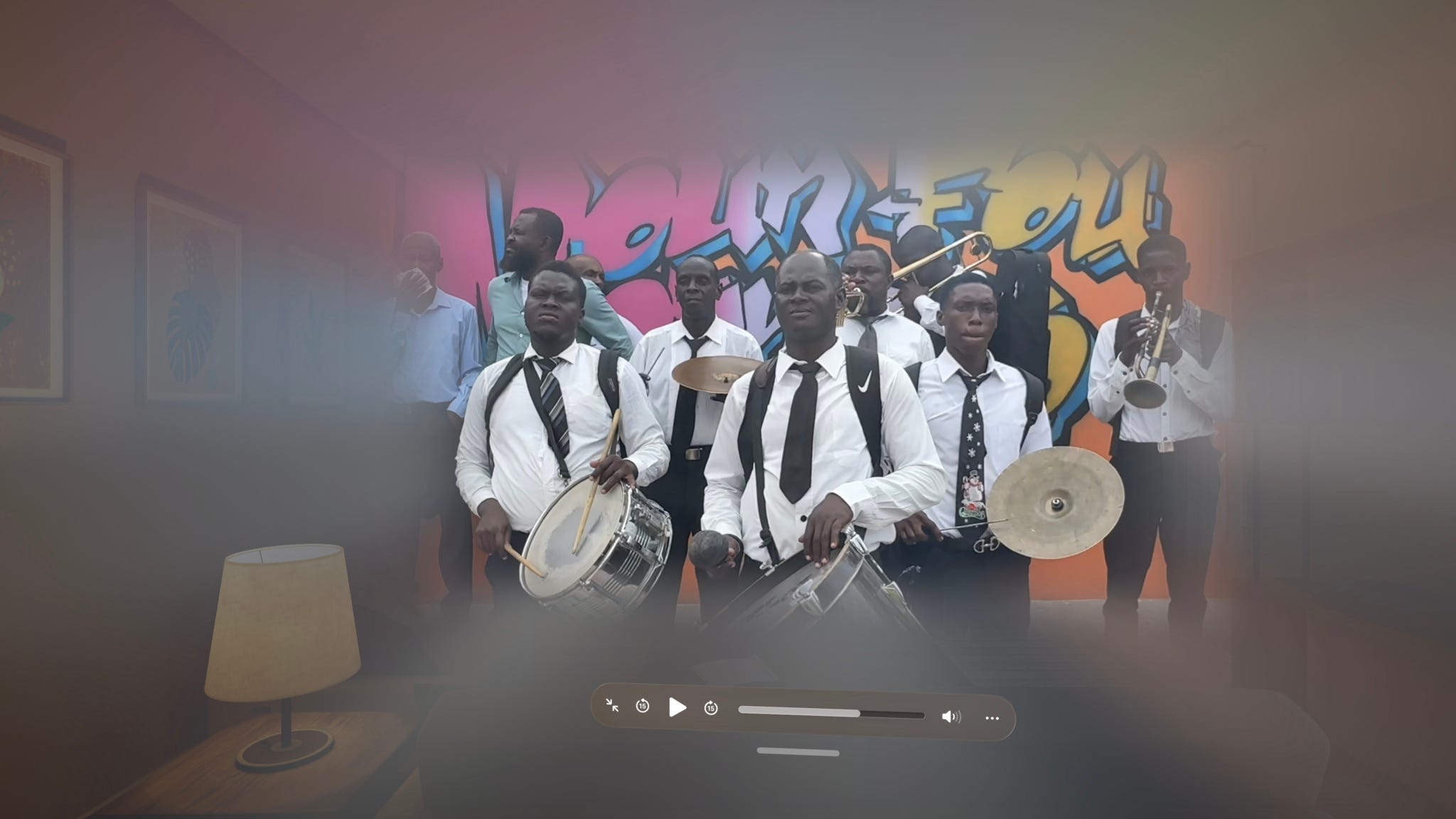
Primary runs on iPhones, AirPods, and the same Apple devices many people already use every day. Reporters capture footage, move files between devices, review spatial audio, and publish immersive stories using a workflow built from tools that are already in their hands.
Primary was founded by documentary filmmaker Sam Baumel and former Associated Press journalist Maura Axelrod.
When I spoke with Sam about Primary, the conversation kept returning to the tools that make the platform possible.
The Opportunity Was Already in the Camera
Sam had tried immersive journalism before, using VR cameras alongside traditional reporting. The workflow was too complex to fit naturally into the reporting process, so immersive content remained a separate production instead of part of the story.
Spatial video on iPhone changed all of that.
Recording spatial video requires one extra step: switching the camera to Spatial mode before you press record.
The Workflow Runs Capture to Publish on an iPhone
Open your iPhone camera, switch to Spatial, turn it sideways, and hit record. That’s the entire capture setup.
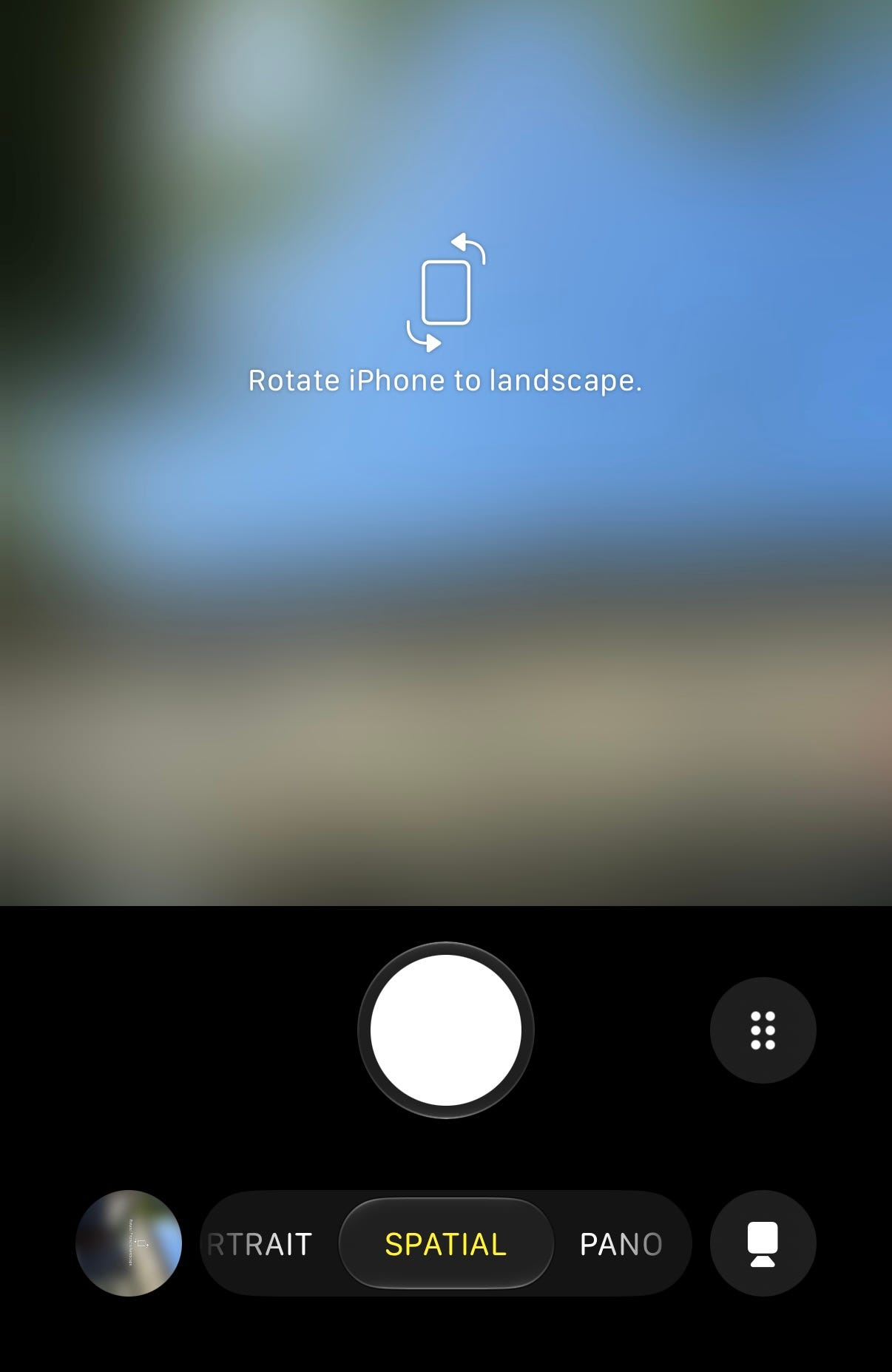
The phone’s side-by-side rear lenses capture the scene together and create the depth in 1080p, so file sizes are small enough to transfer even with limited connectivity. The same clip plays back as standard 2D video on any screen, so one capture covers both formats.
The result is a workflow focused on capturing the moment instead of dealing with the tech. Dynamic range handles what people usually chase with higher resolution, and smaller file sizes keep everything moving.
From there, the file moves to the laptop for editing, and AirPods let you monitor the spatial audio effect while you cut, without wearing the Vision Pro.
The gear requirement is low by design. “A lot of our reporters who we’ve commissioned to document these breaking stories or like ongoing issues already had the capability in their pocket and didn’t even know it.”
The Workflow Lives Between the Devices
What makes that handoff from phone to laptop work is what travels with the file. Spatial video uses MV-HEVC to preserve the depth information that creates the 3D effect. Spatial Audio travels through its own capture and playback pipeline, but both remain intact as the footage moves between devices.
Preserving that information is critical, and one of the easiest ways to keep the metadata intact is to AirDrop the file directly to the computer. Other transfer methods work too, but AirDrop keeps the process simple, quick, and reliable.
Once the file reaches the laptop, the next device takes over. Sam edits on the laptop while monitoring the spatial audio effect through AirPods. "I can hear the spatial audio effect even if I'm just doing it on the laptop. I don't need to wear the Vision Pro."
The sequence is straightforward: capture on iPhone, AirDrop to the laptop, edit while monitoring through AirPods, then publish for playback on Vision Pro.
Primary looks like a Vision Pro app, but the experience depends on what happens between the devices. The operating system connecting iPhone, AirDrop, AirPods, the laptop, and Vision Pro is what turns a collection of products into a publishing workflow.
Hear the Difference
That spatial audio is also something you can hear right now with your AirPods.
I tested it at the park while walking my dog and was surprised how different the recording sounded through AirPods. The difference was immediately noticeable. Birds, people, and passing sounds occupied specific places in the space instead of blending together into a flat recording.
First, set it up on your iPhone by going to Settings, then Camera, then Record Sound, then Spatial Audio.
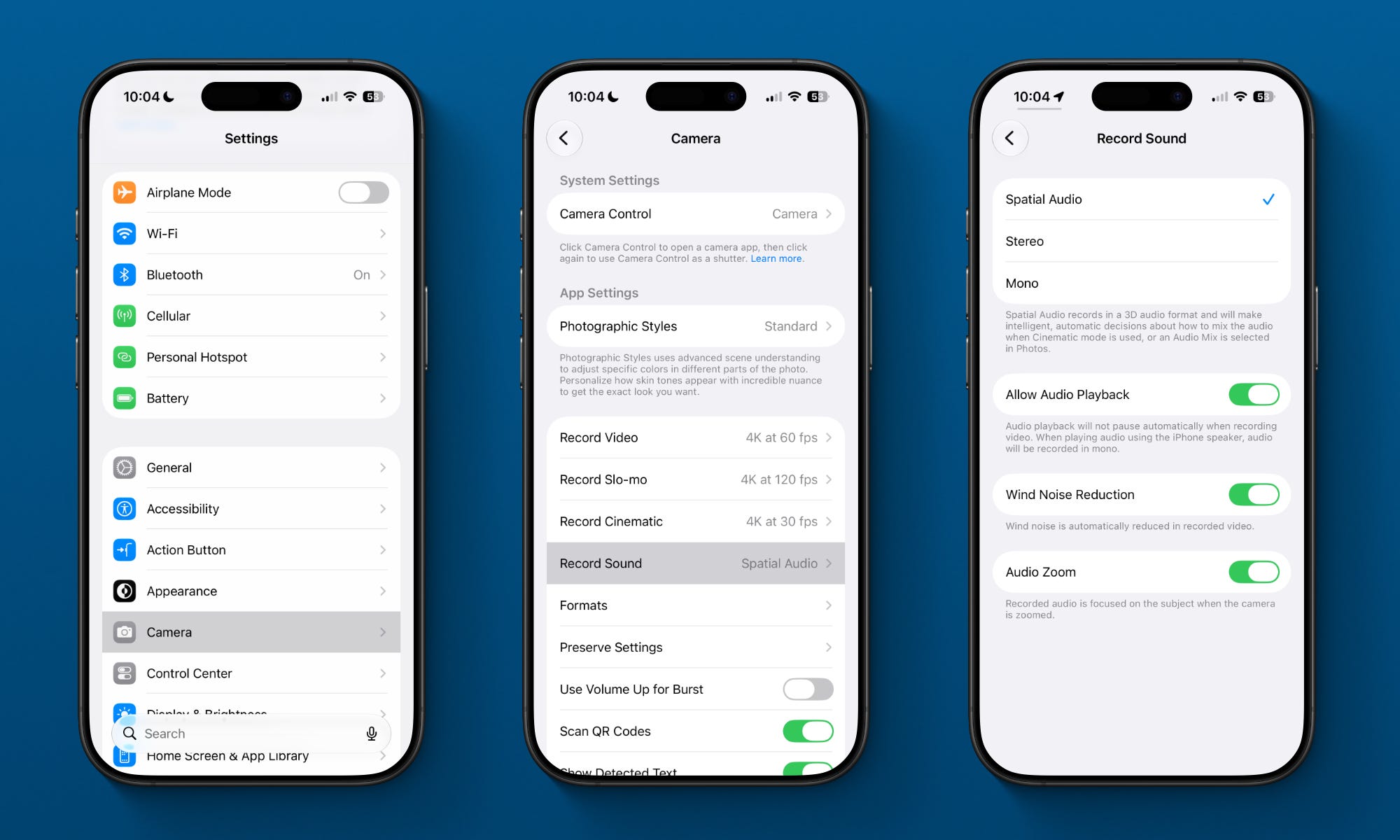
Then try it out by recording a video on your iPhone and playing it back on your AirPods.
The directional sound is immediately noticeable, voices placed where they were, ambient sound behind you, distance that actually sounds like distance.
Get In There
Spatial video works best when the journalist gets close.
Primary’s contributor guide encourages reporters to pair wide shots with close-ups and include foreground elements that create depth. The technical reason is straightforward. Spatial video needs distance between objects in a scene for the 3D effect to register.
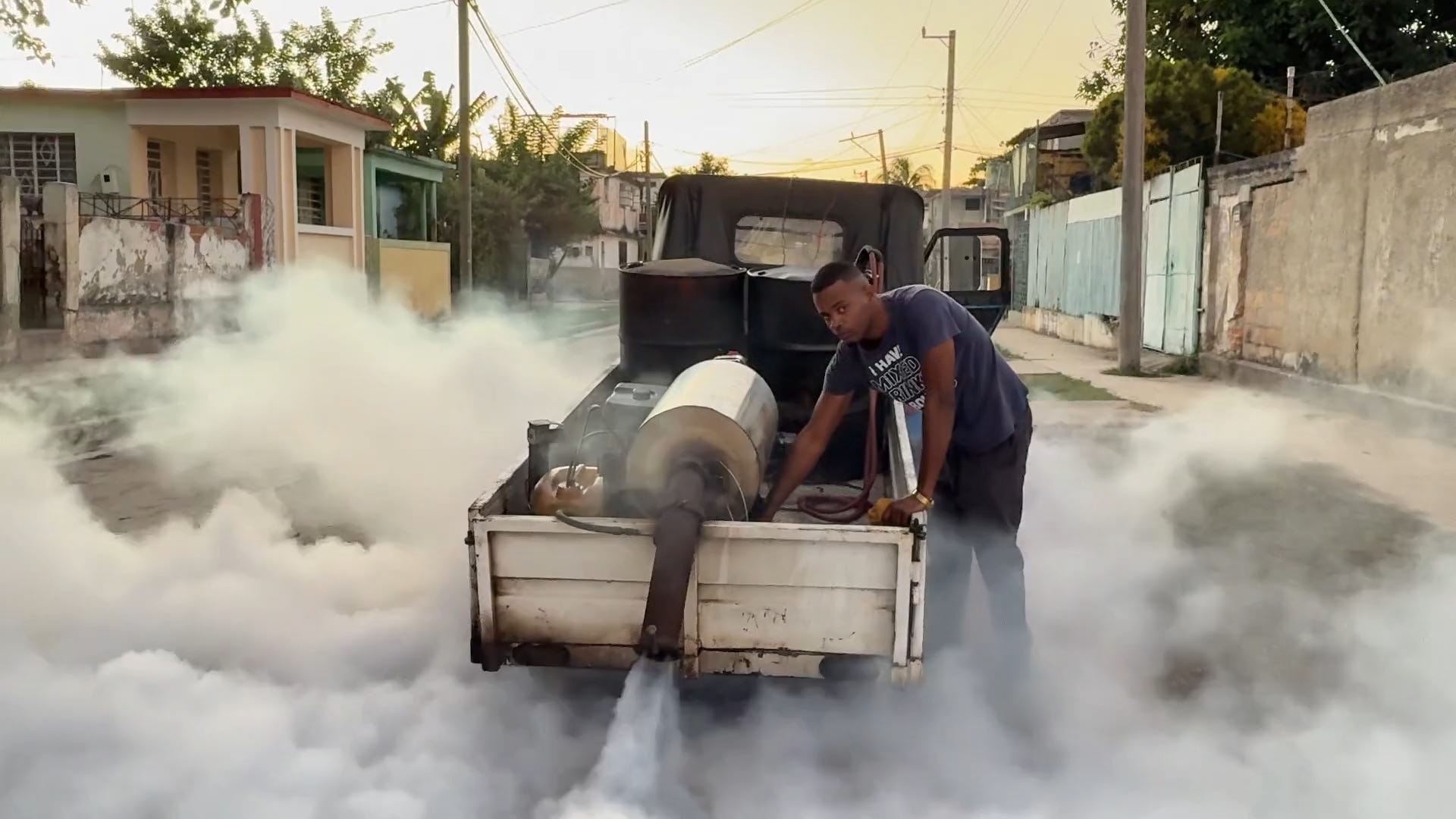
“If you don’t have a foreground element, it’s kind of pointless to be in this format,” Sam told me. A wide shot from a distance can establish a scene, but spatial journalism depends on proximity. “By definition they have to be there and they have to be close.”
That physical closeness changes the experience for the viewer. The sense of scale gives viewers more of the information they would use if they were physically present. The format preserves more of the information your eyes would have had if you were actually standing there.
In a moment when trust, context, and authenticity are constantly being questioned, that kind of proximity is more than a visual effect. It's part of the reason the format exists at all.
Apple Recognized the Mission
Primary was built around a simple goal: helping people better understand the world around them and the people in it.
That goal is what Apple recognized when it named Primary a Design Award winner in the Social Impact category. The recognition wasn’t only for the spatial computing technology behind the platform. It was also for the purpose driving it.
As Sam Baumel put it, “What’s more meaningful than the award itself is the category. To be recognized for social impact suggests that Apple sees value not just in the spatial computing technology that we’re leveraging but also the purpose behind it.”
Learn more about Primary and its mission.
Start With the Next Clip
Your iPhone already knows how to capture depth, spatial audio, and dimensional information every time you record.
AirDrop the next clip you shoot. Put in your AirPods. Listen to where the sound sits. Listen to what happens when a voice moves across a space or when a sound arrives from farther away than the person speaking.
The workflow is already there.